Learn the safest way to move money from Payoneer to PayPal using a bank bridge, with clear steps, fee awareness, timing tips, and troubleshooting advice. This complete guide is designed for B2B sellers, freelancers, and cross-border businesses that need smoother cash flow.
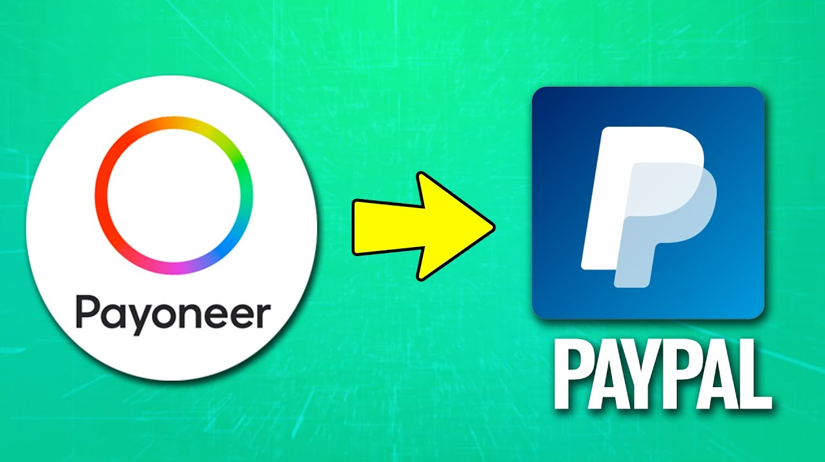
If you need to move money from Payoneer to PayPal, the first thing to understand is that there is no direct transfer between the two platforms. The practical and legitimate method is to withdraw funds from Payoneer to a linked bank account first, then use that same bank account inside PayPal.
For international sellers, freelancers, and B2B operators, this is more than a technical detail. It affects cash flow, supplier payments, customer refunds, and the speed at which your business can operate across borders.
Table of Contents
Why Payoneer and PayPal Do Not Connect Directly
Payoneer and PayPal are built for different financial roles. Payoneer is mainly used for receiving international payments and withdrawing funds to a bank account, while PayPal acts more like a digital wallet and payment platform with its own funding and linking rules.
Because of that, users often expect a simple “send money from Payoneer to PayPal” feature, but it does not exist in the normal transfer flow. The safest working model is to treat your bank account as the bridge between the two systems.
This is especially important for B2B sellers, dropshippers, and service providers who manage fast-moving order cycles. When money is trapped across platforms, business execution slows down, even if sales are still coming in.
The Best Working Method
The most reliable way to move money is:
1. Withdraw money from Payoneer to your bank account.
2. Wait until the funds fully arrive and clear in the bank.
3. Link that same bank account to PayPal if needed.
4. Add money to PayPal or use the linked bank during payment, depending on your region and account settings.
This process is not instant, but it is usually the most stable and compliant option. For most users, that tradeoff is worth it because it reduces failed transfers and account issues.
Step 1: Withdraw from Payoneer to Your Bank
Log in to your Payoneer account and go to the withdrawal section, then choose Withdraw to bank. If you have not already added a bank account, you will need to enter the bank details and complete any verification steps requested by Payoneer.
Before confirming the withdrawal, check three things carefully:
– The bank account name matches the Payoneer account holder name.
– The currency is correct.
– The fee and exchange rate shown on the screen are acceptable.
Payoneer states that withdrawals usually arrive within about 2 business days, although timing may vary depending on the destination country and the bank involved. In some cases, processing may take longer if extra verification is needed.
Practical tip
If you are withdrawing for a supplier payment, do not wait until the last minute. Bank processing can vary, and a delay of even one business day can affect shipping schedules, invoice deadlines, or advertising budgets.
Step 2: Link the Same Bank to PayPal
Once the funds land in your bank account, log in to PayPal and open the wallet or payment methods section. From there, add the same bank account used for the Payoneer withdrawal.
PayPal allows users to add eligible bank accounts and cards, but what is supported can vary by country and account type. If your bank is not accepted, you may need to use another eligible bank account that meets PayPal’s local rules.
Make sure all account details are consistent. Name mismatch, unsupported bank formats, or region restrictions may lead to delays or rejection. For cross-border users, this is one of the most common issues.
Step 3: Move Funds into PayPal
After the bank is linked, use PayPal’s add-money feature where available, or use the bank as your payment source during checkout. In some regions, PayPal does not offer the same add-money function to every user, so the exact option depends on your local account setup.
If your only goal is to make a payment, you may not need to top up your PayPal wallet at all. In many cases, PayPal can charge the linked bank or card directly.
That is why it helps to decide in advance whether you need a wallet balance or simply a funding source. For business owners, this small distinction can save both time and fees.
Fees, Timing, and Hidden Friction
The actual cost of this transfer route depends on several variables. Payoneer says pricing is shown before you confirm a withdrawal, and fees may depend on currency and region. Wise’s guide also confirms that Payoneer withdrawals go to a bank account, not directly to PayPal.
PayPal has its own eligibility rules for banks and cards, which can influence how quickly the funds become usable in your PayPal flow. In practice, the whole process is a two-stage move, not a single transfer.
Here is the real business takeaway: if your company depends on predictable cash movement, you need to plan for the delay rather than react to it. That matters for order fulfillment, supplier deposits, payroll, and ad spending.
What costs can appear?
– Withdrawal fee from Payoneer.
– Currency conversion spread, if conversion is involved.
– Bank processing time.
– Possible PayPal account limitations based on country and bank eligibility.
If your transfers are frequent, compare the total cost of multiple small withdrawals versus fewer larger withdrawals. In many cases, grouping transfers can reduce repetitive fees and administrative effort.
Better Cash Flow Habits for Cross-Border Businesses
A strong payment workflow is not only about moving money. It is about keeping operations stable. For B2B sellers and exporters, your transfer rhythm should match your order cycle, supplier cycle, and marketing cycle.
A simple practice is to maintain a buffer:
– Keep at least one full operational cycle in reserve.
– Withdraw before weekends and public holidays.
– Avoid using the transfer route only when a bill is already overdue.
– Review fees before every withdrawal.
This habit is especially useful if you manage international supplier payments, seasonal inventory purchases, or multiple client invoices. The smoother your money flow, the less likely you are to miss a payment window or delay fulfillment.
When a Different Setup Makes More Sense
For users who move funds across currencies often, it may be worth evaluating whether a multi-currency account better fits the workflow. Wise, for example, positions itself as an option for transparent international transfers and cross-border money management.
This does not mean Payoneer or PayPal is wrong. It simply means each tool should be used for the role it performs best.
A useful structure for many businesses is:
– Payoneer for receiving international client payments.
– Bank account for settlement and transfer bridging.
– PayPal for online payments, supplier purchases, or customer-facing transactions.
This setup is often easier to control than trying to force one platform to do everything.
Business Use Cases for B2B Sellers
The Payoneer-to-PayPal flow is especially relevant if you operate in any of these areas:
– B2B product sourcing.
– Dropshipping.
– Digital services.
– Freelance export support.
– Marketplace selling.
– International marketing and ad payments.
For businesses like Looperbuy customers, money movement is not just about convenience. It affects whether you can place an order today, pay a supplier on time, or release a shipment without delay. That is why payment workflow design is part of business strategy, not just finance.
In many cases, the best solution is not the fastest one on paper. It is the one that remains reliable, auditable, and easy to manage at scale.
Common Problems and How to Fix Them
Some users run into avoidable issues when they try to bridge Payoneer and PayPal. The most common ones include:
– The bank is not accepted by PayPal. Use an eligible bank account supported in your region.
– The withdrawal is still pending. Check Payoneer status, bank processing time, and account verification.
– The names do not match. Make sure account owner details are consistent across systems.
– The fee is higher than expected. Review the withdrawal screen before confirming.
– The PayPal balance does not update immediately. Allow time for both bank processing and PayPal handling.
In most cases, these problems are caused by account setup or timing rather than a true technical failure. That means careful preparation solves more issues than repeated attempts.
Advanced Tips for Professionals
If you are handling business funds rather than casual personal transfers, a few extra habits can make the process much smoother.
First, keep transaction records organized. Save screenshots or receipts for withdrawals, bank deposits, and PayPal funding events. This makes reconciliation much easier later.
Second, always test with a smaller amount first if you are using a new bank or a new region. A small trial transfer can reveal hidden restrictions before you move larger sums.
Third, watch exchange timing. If your Payoneer balance and PayPal spending currency differ, conversion timing can affect how much you actually receive or spend. Even small changes can matter over repeated transfers.
Fourth, build a cash flow calendar. For example, schedule withdrawals every Monday or after a major payment cycle instead of making random ad hoc transfers. That creates predictability.
A Simple Example
Imagine a cross-border seller receives a client payment in Payoneer on Monday. The seller needs funds in PayPal by Thursday to pay for a service or release a supplier deposit.
The seller withdraws from Payoneer to the bank on Monday, waits for the bank settlement, then uses that bank in PayPal. Even if the full cycle takes a few days, the seller has still maintained control of the payment path without needing a direct platform-to-platform transfer.
That workflow is simple, but it reflects how real businesses often operate: stable, repeatable, and low-risk.
If your business depends on reliable cross-border payments, build a transfer workflow that keeps money moving without creating unnecessary risk. Use a verified bank bridge, track transfer timing, and align your payment process with supplier and customer deadlines.
FAQ
1. Can I transfer money directly from Payoneer to PayPal?
No. The normal method is to withdraw from Payoneer to a bank account first, then use that bank with PayPal.
2. How long does a Payoneer withdrawal to bank usually take?
Payoneer says withdrawals often arrive within about 2 business days, though actual timing may vary by country and bank.
3. Can I link any bank to PayPal?
No. PayPal only supports eligible bank accounts and cards, and availability depends on region.
4. What if my Payoneer and PayPal account names are different?
That can create transfer problems or delays. The account holder details should match as closely as possible.
5. Is it better to use PayPal balance or a linked bank/card?
For many users, a linked bank or card is enough. Whether you need to hold a balance depends on your country and payment use case.
6. What is the safest way for businesses to move funds?
The safest and most practical method is to move funds from Payoneer to a verified bank account first, then use that account with PayPal.
References
1. Doba, “How to Transfer Money from Payoneer to PayPal: A Step-by-Step Guide” – [doba]
2. Wise, “Payoneer to PayPal: Can you make the transfer?” – [wise]
3. Payoneer, “Withdraw payments & money online – Get cash fast” – [payoneer]
4. Payoneer, “Low fees and no hidden costs | Payoneer Fees” – [payoneer]
5. PayPal, “Add a Card or Bank Account to Your Wallet” -[paypal]
6. PayPal Help, “What bank accounts and debit cards are eligible for Instant Transfer?” – [paypal]
7. Payoneer, “How to Send & Receive International Payments” – [payoneer]