Table of Contents
Understanding the Mechanical Keyboard Market in the U.S.
The mechanical keyboard market in the United States has experienced remarkable growth, driven by the increasing demand from gaming enthusiasts, professional typists, and productivity – focused consumers. These keyboards are distinguished by their use of individual mechanical switches under each key, which offer a range of benefits over traditional membrane keyboards, including enhanced durability, tactile feedback, and customizable typing experiences.
One of the primary factors contributing to the popularity of mechanical keyboards is the gaming community’s endorsement. Gamers appreciate the faster response times and the tactile feedback that allows for more precise control during intense gaming sessions. The audible click and tactile bump of each keystroke provide a satisfying experience that membrane keyboards cannot replicate. Moreover, the ability to customize keycaps, switches, and even the keyboard’s RGB lighting appeals to gamers who seek both functionality and personalized aesthetics in their peripherals.
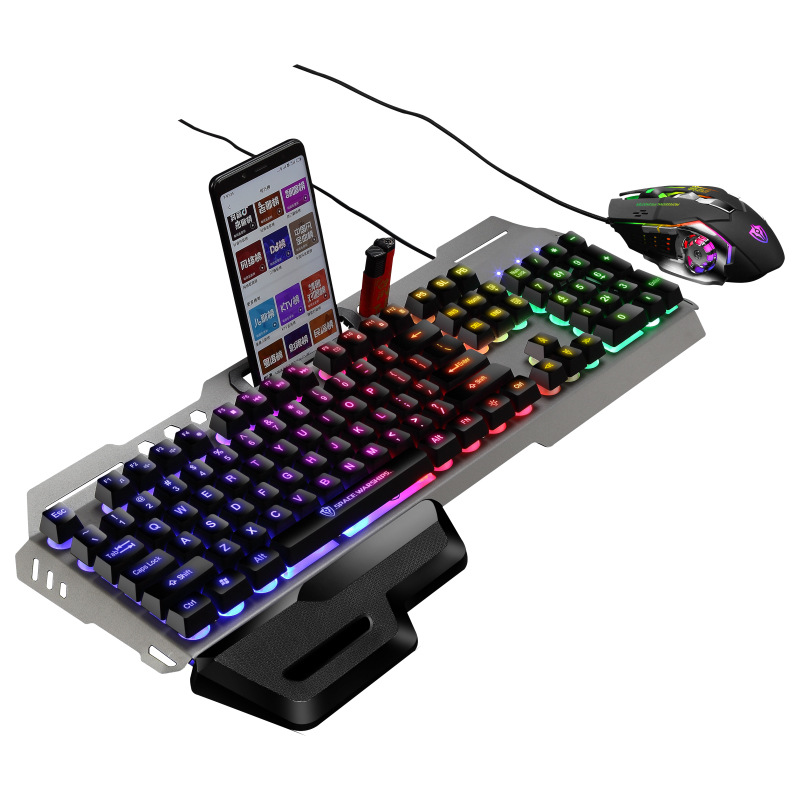
Beyond gaming, mechanical keyboards have gained traction among professionals who spend extended periods typing. Writers, programmers, and data entry specialists often report reduced finger fatigue and increased typing speed when using mechanical keyboards. The variety of switch types – from the loud, clicky sounds of Blue switches to the subtle, linear feel of Red switches – allows users to select a typing experience that best suits their work environment and personal preferences.
The U.S. market offers a diverse range of mechanical keyboards, catering to different budgets and requirements. Entry – level mechanical keyboards are increasingly affordable, with options available for as low as $50, while premium, custom – built keyboards can exceed $300. This price range reflects variations in build quality, materials used (such as aluminum frames versus plastic), and additional features like wireless connectivity and advanced macro programming capabilities.
Major Channels for Mechanical Keyboard Purchases
Online Retailers and E-commerce Platforms
Online platforms represent the most convenient and diverse tools for purchasing mechanical keyboards in the United States. Large e-commerce websites like Amazon offer a wide range of brand and model choices, and usually also have customer reviews and comparison tools to facilitate informed purchasing decisions. The convenience of home delivery and the ability to shop anytime make online retailers a popular choice.
Specialized online stores dedicated to gaming peripherals and computer accessories, such asazzo, Keychron, and Drop, offer curated selections of mechanical keyboards. These retailers frequently provide detailed product descriptions, high – resolution images, and technical specifications that appeal to enthusiasts seeking specific features. They may also offer exclusive models, limited – edition designs, and custom – built options that are not available through general – purpose e-commerce sites.
When shopping online, it is advisable to verify the retailer’s reputation by checking customer reviews and ratings. Look for indicators of reliable customer service, such as clear return policies, warranty terms, and the availability of multiple customer support channels (e.g., email, live chat). Additionally, be mindful of potential shipping costs and delivery times, particularly for international shipments, which may be subject to customs duties and import taxes.
Brick – and – Mortar Retailers and Electronics Stores
Physical retail stores continue to play a significant role in the mechanical keyboard market, especially for consumers who prefer to test keyboards before purchasing. Major electronics retailers like Best Buy and Micro Center stock a selection of popular mechanical keyboard brands and models. These stores allow customers to feel the tactile response of different switches, assess build quality firsthand, and compare keyboard sizes and layouts in person.
Specialty computer stores and local electronics boutiques may offer a more curated selection with expert staff who can provide personalized recommendations. These stores often carry niche brands and higher – end models that may not be available at larger chain retailers. Visiting physical stores also provides the opportunity to seek immediate assistance with setup or troubleshooting, although product availability may be more limited compared to online retailers.
For consumers seeking the latest flagship models or exclusive bundles, manufacturer – operated retail stores (such as those operated by Logitech or Razer in major shopping centers) offer an premium shopping experience. These stores typically feature demo units that allow customers to experience the full range of a keyboard’s features in a controlled environment.
Custom – Build Communities and Independent Sellers
A vibrant community of custom – keyboard enthusiasts operates through online forums, social media groups, and dedicated platforms like Massdrop and Keyboard Companies. These communities facilitate the purchase of custom – built mechanical keyboards, often featuring hand – machined aluminum cases, artisan – crafted keycaps, and premium switch types not available in pre – built models.
Participating in group buys organized by these communities can offer significant cost savings on high – end components. Enthusiasts pool their orders to achieve economies of scale with manufacturers, making custom – built keyboards more accessible to a broader audience. Custom – build projects often involve a collaborative design process, allowing buyers to specify their preferred materials, switch types, and aesthetic details.
When purchasing from independent sellers or custom – build communities, it is crucial to research the seller’s reputation and reliability. Check for user feedback within the community, request references or samples of previous work, and ensure that payment methods offer sufficient buyer protection. Custom builds typically require longer lead times due to the manual assembly process, so establish clear expectations regarding delivery timelines before committing to a purchase.
Essential Considerations When Purchasing a Mechanical Keyboard
Switch Type Selection
The choice of mechanical switch significantly impacts the typing experience and is a critical consideration for buyers. The three most popular switch types are:
- Blue Switches: Renowned for their tactile bump and audible click, Blue switches provide clear auditory and tactile feedback with every keystroke. They require a moderate actuation force of approximately 50 – 55 grams, making them ideal for users who value the rhythmic feedback during typing and gaming. However, their clicky nature may disturb others in shared office environments.
- Red Switches: These linear, non – tactile switches offer a smooth actuation with no auditory click. Requiring a lower actuation force of around 45 grams, Red switches are favored by gamers seeking rapid – fire key presses and by typists who prefer a quieter typing experience. Their minimal resistance allows for faster typing speeds but may result in more typos for users accustomed to tactile feedback.
- Brown Switches: Striking a balance between Blue and Red switches, Brown switches feature a tactile bump without the loud click. With an actuation force of approximately 45 grams, they provide subtle feedback while maintaining relative quietness. This makes them suitable for office environments where auditory disruption is a concern but users still desire some tactile confirmation of keystrokes.
Emerging switch technologies, such as the hybrid switches offered by some manufacturers, attempt to combine the benefits of different switch types. For example, switches like the Gray – Brown hybrid provide a quieter tactile experience compared to traditional Blue switches. Gamers and typists with specific preferences may also explore lesser – known switch types such as White switches (higher actuation force with clicky feedback) or Clear switches (high – tension linear switches for reduced key – wobbling during rapid inputs).
Keyboard Layout and Ergonomics
The physical layout and ergonomic design of a mechanical keyboard directly affect comfort during extended use. Standard full – size keyboards (104 keys) include a numeric keypad and are suitable for users who frequently perform data – entry tasks. However, they take up desktop space and may contribute to wrist strain over time.
Compact layouts such as the Tenkeyless (TKL) design (87 keys, omitting the numeric keypad) are popular among gamers and typists seeking a more compact footprint that allows for closer mouse positioning. The reduced key count also often results in lower prices and improved portability.
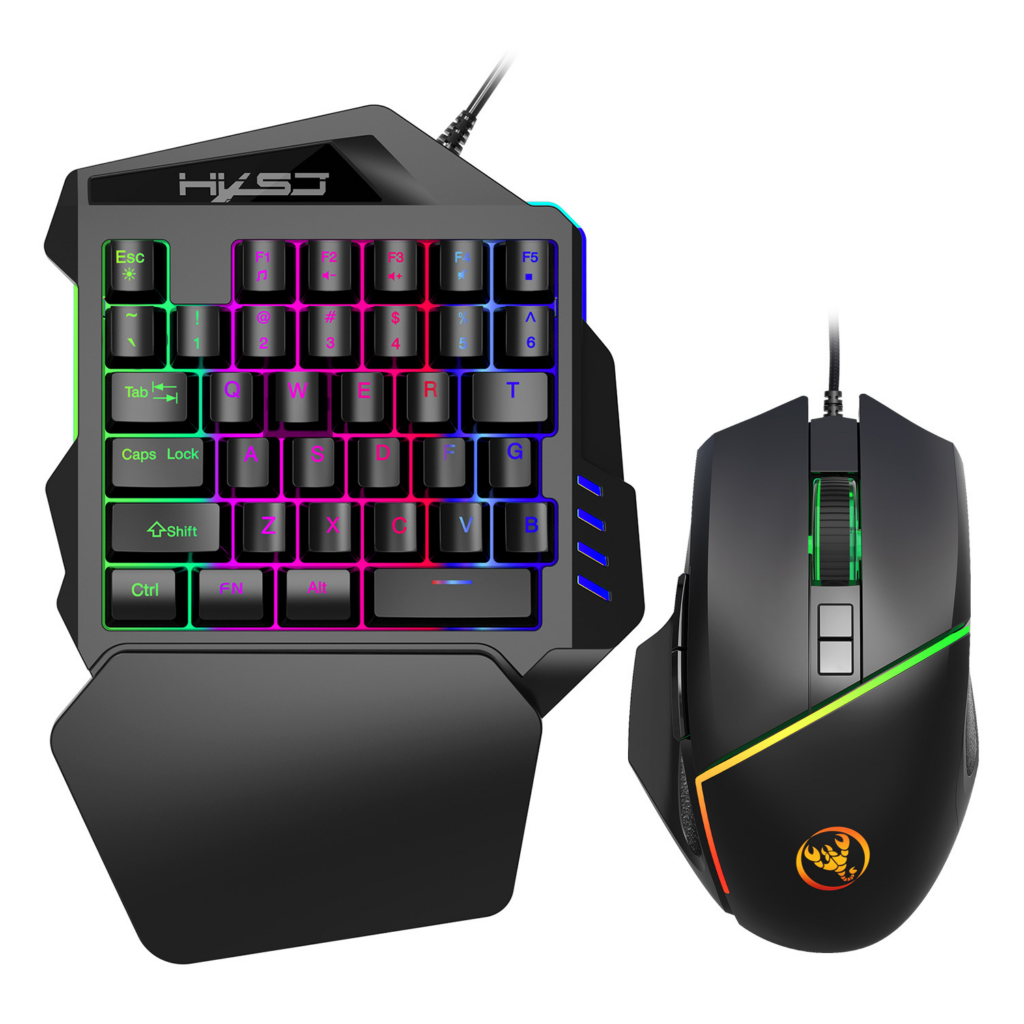
For users prioritizing ergonomics, split – keyboard designs (such as the Ergodox or Kinesis Advantage) offer angled keypads that promote natural wrist and hand positioning. These designs aim to reduce the risk of repetitive strain injuries (RSIs) by minimizing awkward wrist angles and promoting more neutral hand postures. Similarly, keyboards with built – in wrist rests or adjustable key heights provide additional comfort options for users with varying physical needs.
The choice of keyswitch mounting system also impacts typing feel and durability. Plate – mounted switches, secured to a metal plate beneath the keycaps, generally provide a more consistent typing feel across all keys. In contrast, PCB – mounted switches (attached directly to the circuit board) may offer a slightly more flexible typing experience but can be more prone to wobbling if the board is of lower quality.
Build Quality and Durability
Investing in a mechanical keyboard is often a long – term decision, with high – quality models expected to last for many years. Assessing build quality involves examining the materials used in the keyboard’s construction. Aluminum frames and plates offer greater durability and a premium feel compared to plastic alternatives, though they typically add to the keyboard’s weight.
The keyboard’s construction quality can be evaluated by checking for sturdy keyswitch soldering, secure keycap attachment mechanisms, and robust cable management systems. For wireless models, investigate the build quality of the receiver dongle (if applicable) and the antenna’s integration into the keyboard design, as these components can impact connectivity reliability over time.
Reputable brands often provide warranty periods ranging from 1 to 5 years, covering manufacturing defects and, in some cases, mechanical failure of switches. Reading warranty terms carefully helps ensure you understand what is covered and the process for claiming warranty service if needed. Additionally, some manufacturers offer extended warranty options for an additional fee, which may be worthwhile for high – end models.
Additional Features and Customization Options
Modern mechanical keyboards frequently include additional features that enhance functionality and user experience. Programmable macro keys allow gamers and productivity – focused users to assign complex commands to single keys, streamlining workflows and in – game actions. On – board memory enables users to store multiple macro profiles directly on the keyboard, eliminating the need for software installation on different computers.
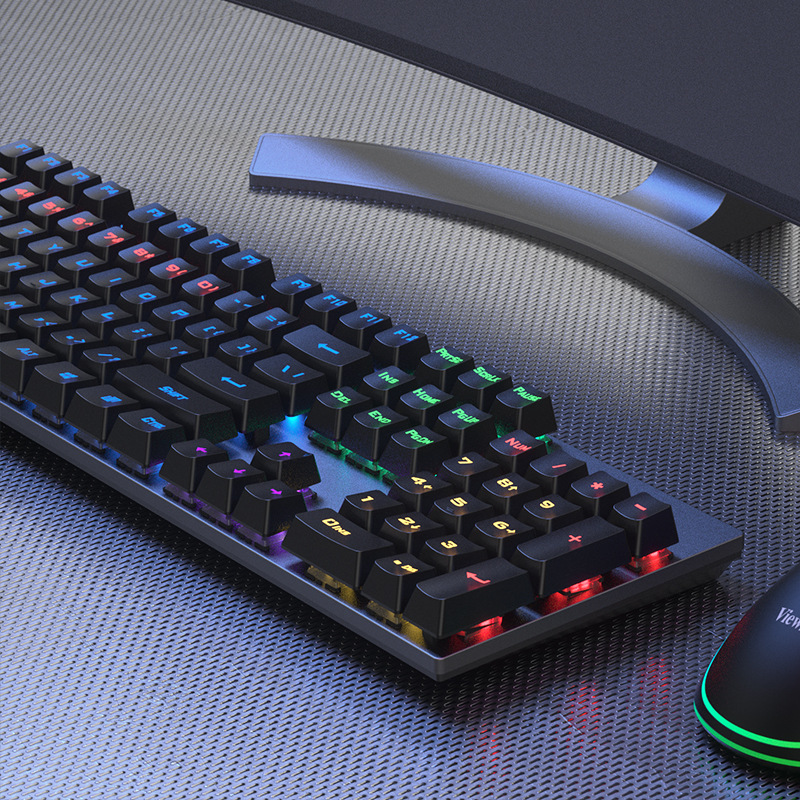
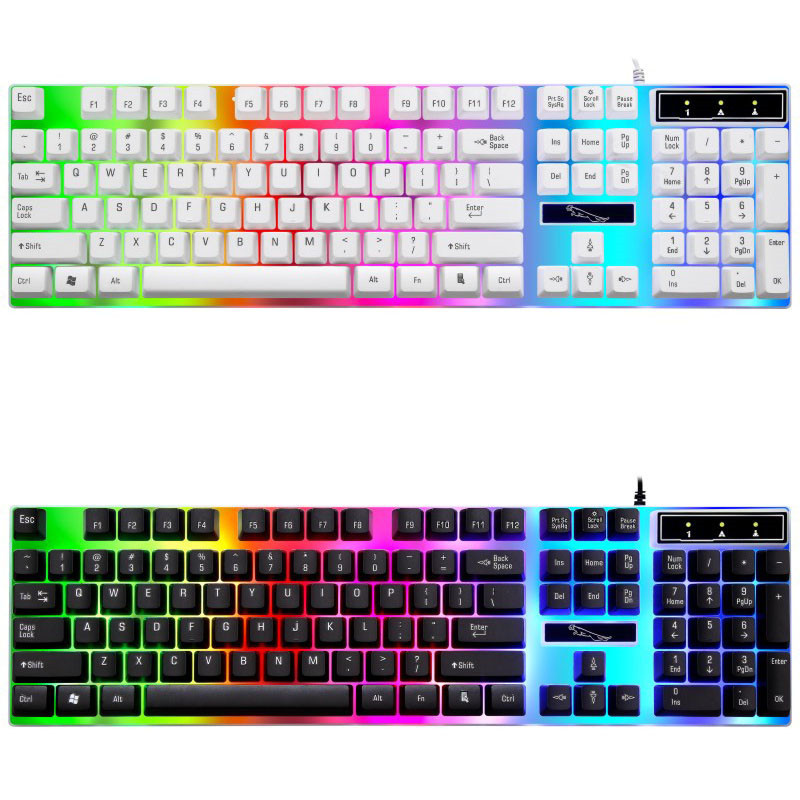
RGB backlighting has become a standard feature in many mechanical keyboards, offering users the ability to customize lighting effects and colors to match their desk setup or mood. While primarily an aesthetic feature, some users find that proper lighting can improve key visibility in low – light environments. Advanced lighting control software allows for synchronization with other peripherals, creating a cohesive visual experience across multiple devices.
Wireless connectivity options, including Bluetooth and 2.4 GHz wireless technology, provide freedom from cable constraints for users who prioritize desk – space optimization or frequently relocate their keyboards between devices. When evaluating wireless models, consider factors such as battery life (for wireless – only models), latency performance during gaming, and the reliability of the wireless connection in environments with potential interference sources.
Conclusion
Purchasing a mechanical computer keyboard in the United States involves navigating a diverse market with options catering to gamers, professionals, and hobbyists alike. By understanding switch types, considering layout and ergonomic requirements, assessing build quality, and evaluating additional features, buyers can make informed decisions that align with their specific needs and preferences. Whether seeking the thrill of custom – building a unique keyboard or opting for the convenience of a pre – built model from a trusted retailer, the U.S. market offers ample opportunities to find a mechanical keyboard that enhances both productivity and enjoyment.
How to purchase:https://looperbuy.com/search?keywords=United+States+mechanical+computer+keyboard+purchase&globalType=1688
Related Questions & Answers
· How can I determine which mechanical switch type best suits my typing style?
To determine the best mechanical switch type for your typing style, start by researching online forums and review sites where users share their experiences with different switches. Many keyboard retailers offer demo units or allow in – store testing, enabling you to feel the tactile response and auditory feedback firsthand. Consider your primary use case – if you’re a gamer requiring rapid key presses, linear switches like Red may be preferable. For office environments where auditory feedback is less disruptive, tactile but non – clicky switches like Brown could be ideal. Typists who value clear keystroke confirmation may prefer Blue switches despite their noisier operation. Testing multiple switch types and reflecting on which aspects (tactile bump, actuation force, sound) align with your comfort and productivity needs will guide you to the optimal choice.
· What are the advantages of purchasing from custom – build communities versus pre – built keyboards?
Purchasing from custom – build communities offers several advantages. You gain access to premium components and unique designs not available in pre – built models, allowing for complete personalization of materials, switch types, and aesthetics. Custom builds often feature higher – quality construction with options like hand – machined aluminum cases and artisan – crafted keycaps. Group buys within these communities can reduce costs on high – end components through bulk purchasing. Additionally, the custom – building process fosters a deeper connection with your keyboard, as you’re involved in its design and assembly. However, this approach requires more time, technical knowledge, and initial investment compared to purchasing pre – built keyboards.
· How do I ensure the mechanical keyboard I purchase is compatible with my computer system?
Most mechanical keyboards are designed to be compatible with standard computer systems running Windows, Mac, or Linux operating systems. Verify that the keyboard’s connection interface (USB – C, USB – A, Bluetooth, etc.) matches your computer’s available ports. For wireless keyboards, ensure your system supports the required connectivity protocol (Bluetooth version or 2.4 GHz wireless with a compatible USB receiver). Check the keyboard’s documentation for any specific driver requirements, though many modern keyboards are plug – and – play. If using a custom – built keyboard with a specialized controller, confirm that it’s recognized by your operating system or consult the manufacturer’s compatibility list before purchasing.
· What maintenance practices extend the lifespan of a mechanical keyboard?
Regular maintenance is key to extending your mechanical keyboard’s lifespan. Dust and debris accumulation under keycaps can affect switch performance and cause sticking keys. Periodically remove keycaps (using a keycap puller tool) and clean the switch housing with compressed air or a soft brush. For spills, immediately power off the keyboard, disassemble if possible, and clean with appropriate solutions (isopropyl alcohol for liquid spills, avoiding water penetration into electronic components). Many users recommend periodic switch lubrication with specialized switch lube to reduce friction and noise, though this requires disassembling switches and applying lube carefully to avoid damage. Storing the keyboard in a dust – free environment and avoiding excessive force on keys during typing also preserves switch integrity over time.
· Can I upgrade individual components of a mechanical keyboard after purchase?
Yes, many mechanical keyboards support component upgrades. Keycaps can be easily swapped with aftermarket sets to change aesthetics or tactile feel (e.g., PBT keycaps for durability vs. ABS keycaps with backlit – friendly translucency). Switches can often be replaced using a switch puller tool, allowing you to experiment with different switch types without purchasing a new keyboard. Some high – end models feature hot – swappable PCBs, enabling switch changes without soldering. RGB lighting strips or controller boards may also be upgradable on certain models to enhance lighting effects or functionality. Before attempting upgrades, consult the keyboard’s documentation to understand its modularity and seek community guidance for model – specific upgrade procedures.
Hot Tags: Mechanical Keyboard Brands; Gaming Peripheral Purchasing; Custom Keyboard Building; Switch Type Guide; Ergonomic Keyboard Design; RGB Lighting Features; Wireless Keyboard Connectivity; Keyboard Durability Assessment; Typing Experience Enhancement.