Table of Contents
The Appeal of White Computer Keyboards
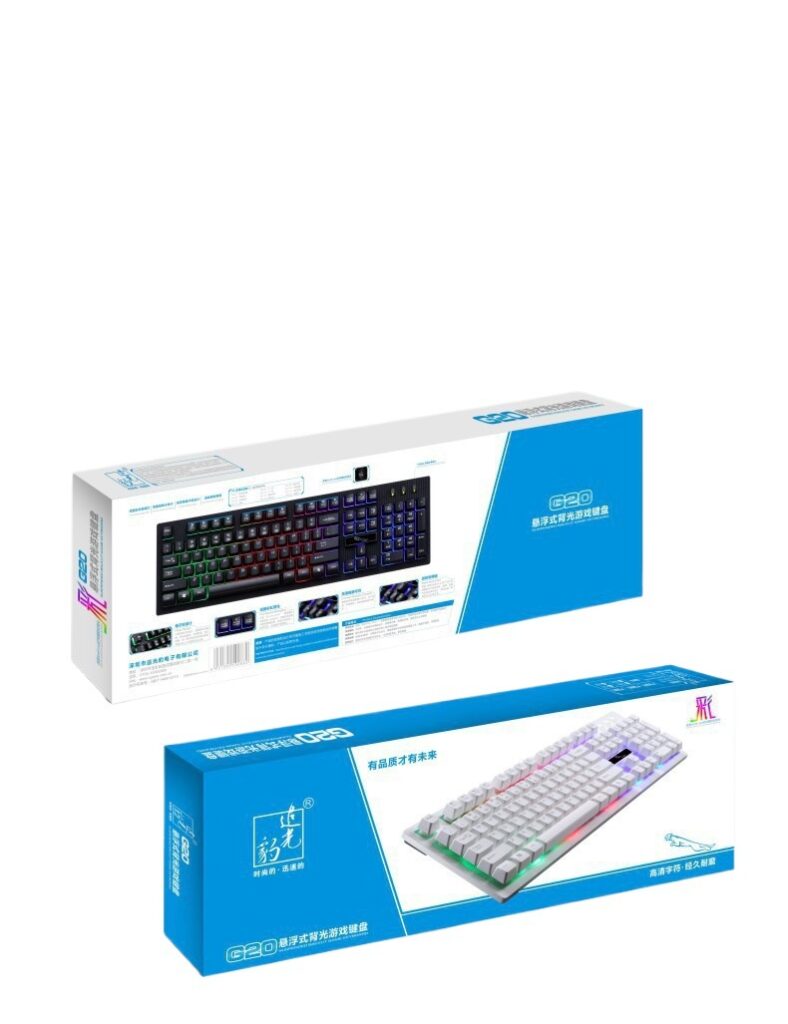
White computer keyboards have gained popularity in the market due to their clean and elegant appearance. They not only enhance the aesthetic appeal of your desk but also offer practical advantages. In modern minimalist and industrial-style home offices, a white keyboard often serves as a focal point. Its pure white color complements various desk setups, whether paired with a wooden desk or a metal frame table, creating a harmonious and visually pleasing workspace. Additionally, white keyboards are compatible with most computer hardware and peripherals, making them an ideal choice for users seeking a cohesive setup.
Advantages of White Computer Keyboards
Aesthetic Value
White keyboards exude simplicity and purity, fitting seamlessly into various interior design styles. For those who prefer a minimalist aesthetic, a white keyboard can create a clean and organized workspace. Its understated elegance also suits modern and futuristic setups, enhancing the overall visual appeal of the desk. Compared to black keyboards, white keyboards offer greater versatility in matching different color schemes and decor styles.
Tactile Feedback and Typing Experience
Many white keyboards feature mechanical switches, such as White Mechanical Switches, which provide superior tactile feedback. These switches require less actuation force, enabling users to type with minimal effort while ensuring precise keystrokes. The tactile feedback helps reduce typing errors, making the typing experience more enjoyable and efficient. For prolonged typing tasks, such as writing or coding, this can significantly enhance comfort and productivity.
Durability
White Mechanical Keyboards are renowned for their longevity. The metal alloy frame and high-quality switches ensure durability, with an average lifespan of over 50 million keystrokes per switch. This means they can withstand extensive use without significant performance degradation, offering users a reliable input device for extended periods. Their resistance to dust and debris further extends their lifespan, keeping the keyboard clean and functional for longer.

Disadvantages of White Computer Keyboards
Susceptibility to Dirt and Stains
One of the primary drawbacks of white keyboards is their tendency to show dirt and stains easily. Dust, fingerprints, and spills can quickly mar the pristine white surface, making the keyboard appear dirty. Users who frequently eat or drink near their keyboard may find that white keyboards require more frequent cleaning to maintain their appearance. If not cleaned regularly, dirt and grime can accumulate between the keys, affecting both aesthetics and functionality.
Potential Yellowing
Over time, white keyboards may develop a yellowish tint due to prolonged exposure to UV light. This yellowing occurs gradually and cannot be completely prevented through cleaning. While it may take several years for the yellowing to become noticeable, it can impact the keyboard’s visual appeal. For users who prioritize the appearance of their equipment, this could be a consideration when choosing a white keyboard.
Backlighting Issues
Some white keyboards come with backlighting, but this feature may not always be advantageous. If the backlighting is white, it may blend with the keycaps, reducing visibility, especially in low-light environments. This can be particularly problematic for users with weaker vision. Additionally, some white keyboards use side-lit designs, which can result in uneven lighting across the keyboard, with brighter edges and dimmer centers. Such lighting issues may distract users during use.
Types of White Computer Keyboards
Mechanical White Keyboards
Mechanical white keyboards are favored by gamers and professional typists for their excellent performance. They feature individual switches beneath each keycap, offering rapid response times and precise input. White Mechanical Switches provide tactile feedback and a lower actuation force, enabling comfortable and efficient typing. These keyboards also support N-key rollover, allowing multiple keys to be pressed simultaneously without input lag. Their durability and reliability make them ideal for high-intensity usage scenarios.
Membrane White Keyboards
Membrane white keyboards are more affordable and quieter during operation. They utilize a membrane layer beneath the keys to register keystrokes. While they lack the tactile feedback and response speed of mechanical keyboards, they are sufficient for everyday tasks like office work and casual browsing. Their streamlined design and lower price point make them a practical choice for budget-conscious users.
Wireless White Keyboards
Wireless white keyboards offer greater flexibility and convenience, eliminating cable clutter and allowing users to work from different distances and angles. They are especially suitable for users who frequently move their computers or work in limited space environments. Modern wireless keyboards provide stable connections and low latency, ensuring smooth operation. Some wireless white keyboards also feature rechargeable batteries, reducing long-term usage costs.
Recommended White Computer Keyboards
Logitech K810 Wireless Keyboard
Logitech is a well-known brand in the keyboard market, and the K810 model is one of its standout wireless white keyboards. It features a slim design and a spill-resistant structure, making it durable and easy to clean. The keyboard connects wirelessly via USB, offering stable performance and a range of up to 10 meters. Its full-size layout includes a numeric keypad, catering to users who frequently handle data entry tasks. The keys have a comfortable touch, providing a smooth typing experience. Additionally, the K810 supports multiple device connections, allowing users to switch between devices effortlessly. Its elegant white appearance complements various desk setups, making it an excellent choice for home and office use.
Anne Pro 2 Mechanical Keyboard
The Anne Pro 2 is a compact and portable mechanical keyboard that comes in a white finish. Its 60% layout (75 keys) saves desk space while retaining essential functions. Equipped with White Mechanical Switches, it delivers rapid response times and tactile feedback, making it suitable for both gaming and typing. The detachable cable design enhances portability, allowing users to bring it to different locations easily. The keyboard supports RGB backlighting, enabling users to customize lighting effects to match their preferences. Its aluminum body ensures durability and longevity. Despite its compact size, the Anne Pro 2 offers exceptional performance and a premium typing experience, ideal for users seeking a portable mechanical keyboard.
Keychron K2 Wireless Mechanical Keyboard
The Keychron K2 combines the advantages of wireless connectivity and mechanical switches. Its white design is sleek and modern, fitting seamlessly into various interior styles. The keyboard supports three connection modes: Bluetooth, 2.4G wireless, and wired, ensuring stable connections across multiple devices. Using Gateron switches, it provides a smooth typing experience with moderate actuation force and minimal noise, making it suitable for office environments. The K2 features a customizable RGB backlighting system, allowing users to adjust colors and effects to suit their desk setup. Its aluminum body enhances durability and stability. The Keychron K2 is an excellent choice for users who value wireless freedom and mechanical performance.
Cleaning and Maintenance Tips for White Computer Keyboards
Regular Cleaning
To maintain the pristine appearance of a white keyboard, regular cleaning is essential. Use a soft, dry cloth to wipe the surface of the keyboard daily, removing dust and fingerprints. Weekly, use compressed air to blow out dust from between the keys, preventing dirt buildup. For deeper cleaning, remove the keycaps and soak them in a mild detergent solution, then gently scrub with a soft brush to remove stains. After cleaning, ensure the keycaps are completely dry before reassembling the keyboard.
Avoiding Spills
Place your keyboard away from food and beverages to minimize the risk of spills. If accidental spills occur, immediately turn off the keyboard and unplug it. Use absorbent paper towels to blot up as much liquid as possible, then leave the keyboard upside down to air dry for 24–48 hours. For liquid-resistant keyboards, follow the manufacturer’s cleaning instructions.
Protecting Against UV Exposure
To prevent yellowing caused by UV light, avoid placing the keyboard in direct sunlight for extended periods. Use curtains or blinds to block sunlight when necessary. If the keyboard is frequently used in a sunny environment, consider investing in a keyboard cover to provide additional protection.
Conclusion
White computer keyboards offer a blend of aesthetic appeal and practical functionality. Their elegant white design enhances desk aesthetics, while features like mechanical switches and wireless connectivity cater to diverse user needs. However, they also have drawbacks such as susceptibility to dirt, potential yellowing, and backlighting limitations. When selecting a white keyboard, users should consider their specific requirements and usage scenarios to choose the most suitable product. With proper cleaning and maintenance, white keyboards can remain visually appealing and functional for extended periods.
How to Purchase:https://looperbuy.com/search?keywords=white+computer+keyboard
Frequently Asked Questions
What are the advantages of mechanical white keyboards?
Mechanical white keyboards provide superior tactile feedback and response speed, ensuring precise keystrokes and a comfortable typing experience. Their durability allows them to withstand extensive use, making them ideal for gamers and professional typists. Additionally, mechanical keyboards often support customization, enabling users to adjust keycaps and switches according to their preferences.
How can I clean a white keyboard effectively?
Use a soft, dry cloth to wipe the keyboard surface daily. Weekly, use compressed air to remove dust between the keys. For deeper cleaning, remove the keycaps and soak them in a mild detergent solution, then gently scrub with a soft brush. After cleaning, ensure the keycaps are completely dry before reassembling the keyboard. Avoid using harsh chemicals or excessive water to prevent damage to the keyboard.
Are all white keyboards prone to yellowing?
Not all white keyboards yellow over time, but many may develop a yellowish tint due to prolonged UV exposure. The extent of yellowing varies depending on the keyboard’s material and usage environment. To minimize yellowing, avoid placing the keyboard in direct sunlight and use a keyboard cover for added protection.
What should I consider when choosing a white keyboard?
When selecting a white keyboard, consider factors such as your usage scenario, budget, and preferences. If you prioritize typing performance and durability, a mechanical white keyboard may be the best choice. If portability and affordability are more important, a membrane white keyboard or wireless white keyboard might better suit your needs. Additionally, pay attention to the keyboard’s design, backlighting options, and compatibility with your devices.
How can I prolong the lifespan of a white keyboard?
To extend the lifespan of a white keyboard, avoid exposing it to extreme temperatures and humid environments. Use a keyboard cover to protect it from dust and debris when not in use. Regularly clean the keyboard and practice proper typing habits, such as avoiding excessive force on the keys. For mechanical keyboards, periodically lubricate the switches to maintain their performance and longevity.
Hot Tags: White Computer Keyboard;White Mechanical Keyboard;White Keyboard Cleaning;White Keyboard Yellowing;Wireless White Keyboard;Membrane White Keyboard;Backlit White Keyboard;White Keyboard Maintenance;White Keyboard Aesthetics;White Keyboard Durability