Table of Contents
Introduction
In the world of high-performance computing, maintaining optimal temperatures is crucial for ensuring the longevity and reliability of your hardware. Computer radiator fans play a pivotal role in this thermal management system. Whether you’re a gaming enthusiast pushing your GPU to its limits or a professional running intensive computational tasks, selecting the right radiator fans can make a significant difference in your system’s performance and stability. This guide will delve into the types of computer radiator fans, key selection criteria, installation best practices, and emerging trends to help you make informed decisions for your cooling setup.
Types of Computer Radiator Fans
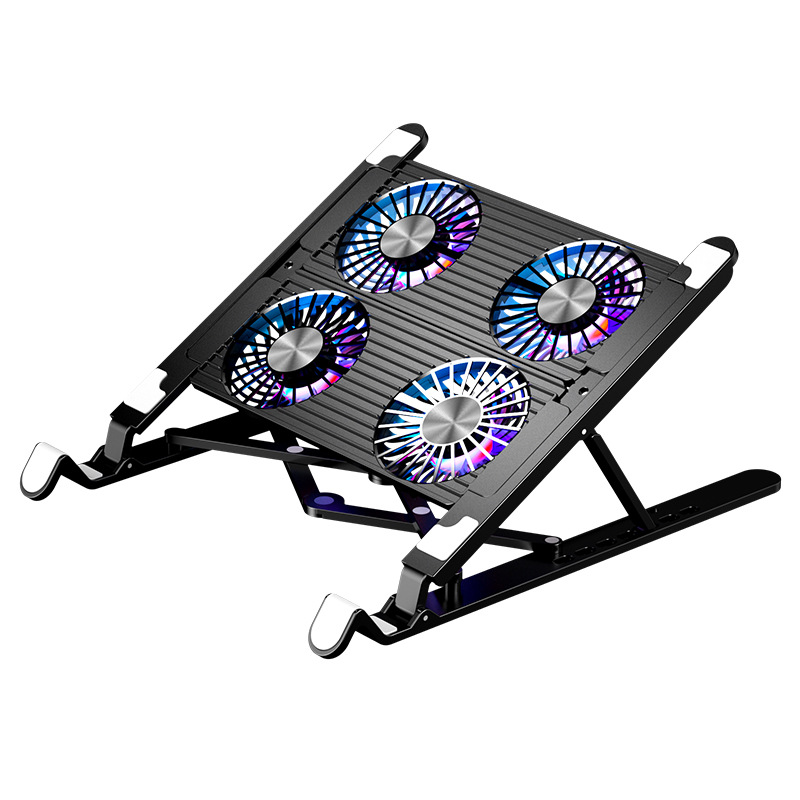
Air Cooling Radiator Fans
- Static Pressure Fans: These fans are designed to push air through dense heatsinks or radiators. They are ideal for liquid cooling systems where the radiator requires sufficient pressure to ensure adequate airflow. Static pressure fans are particularly useful in confined spaces where the air needs to be forced through a compact radiator efficiently.
- High Airflow Fans: Optimized for open-case environments, these fans prioritize the volume of air moved over pressure. They are excellent for general cooling purposes in cases with good airflow and minimal restrictions. High airflow fans help maintain a comfortable operating temperature for components like GPUs and CPUs by ensuring a constant stream of cool air across them.
- PWM (Pulse Width Modulation) Fans: PWM fans allow for precise speed control via the motherboard or software. This feature enables users to adjust the fan speed based on the system’s thermal load, ensuring optimal cooling when needed while minimizing noise during less demanding tasks. PWM fans provide a balance between performance and acoustic comfort, making them a popular choice for many users.
Liquid Cooling Radiator Fans
- Push-Pull Configurations: Dual fans mounted on either side of a radiator can significantly enhance cooling performance. The push-pull setup helps create a more efficient airflow pattern through the radiator, improving heat dissipation. This configuration is particularly effective in high-end liquid cooling systems where maximum cooling capacity is required.
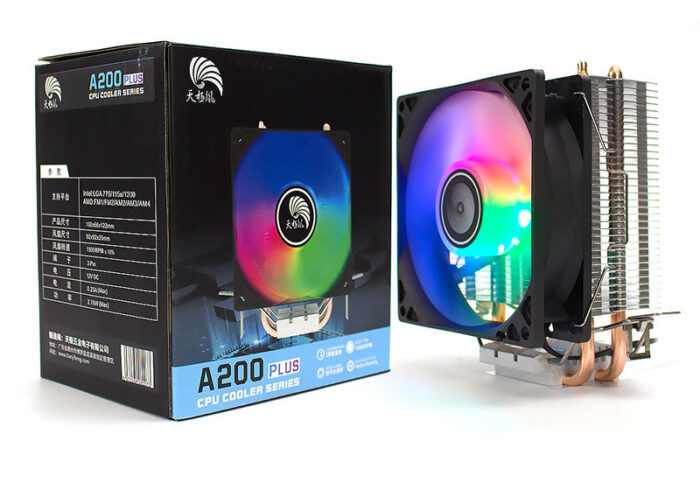
- RGB Lighting Models: Aesthetic-focused fans with customizable lighting are highly popular in gaming builds. These fans not only serve a functional purpose but also add a touch of personal style to the PC. RGB lighting can be synchronized with other components for a cohesive and visually appealing setup, appealing to gamers and enthusiasts who value both performance and appearance.
Hybrid Cooling Solutions
- AIO (All-in-One) Coolers: Pre-assembled systems that integrate pumps, radiators, and fans offer a convenient and reliable cooling solution. AIO coolers are designed for ease of installation and provide effective cooling for most consumer-grade PCs. They are a popular choice for users who want the benefits of liquid cooling without the complexity of building a custom loop.
- Custom Loop Fans: For those seeking the ultimate in cooling performance, custom loop fans allow for extreme overclocking and fine-tuned system cooling. Custom loops offer greater flexibility in component selection and configuration, enabling users to achieve the highest levels of cooling efficiency. However, they require more expertise and effort to set up and maintain.
Key Selection Criteria for Radiator Fans
Performance Metrics
- CFM (Cubic Feet per Minute): This metric measures the airflow volume of a fan. For standard radiators, aim for fans with a CFM rating between 50–80. Higher CFM values indicate greater airflow, which is beneficial for cooling components effectively. When selecting fans, consider the size of your radiator and the required airflow to maintain optimal temperatures.
- Static Pressure (mmH₂O): Static pressure is critical for dense radiators as it determines the fan’s ability to push air through restrictive components. Ideally, look for fans with a static pressure rating of 2.0–3.0 mmH₂O. This ensures that the fan can maintain sufficient airflow even when faced with resistance from the radiator’s fin structure.
- Noise Level (dBA): Noise is an important consideration, especially for users who value a quiet computing environment. Fans with noise levels below 30 dBA are considered to be relatively quiet and suitable for silent PC builds. However, it’s worth noting that higher performance fans may generate more noise, so finding a balance between performance and acoustic comfort is essential.
Physical Compatibility
- Radiator Size: Ensure that the fan size (commonly 120mm or 140mm) matches the dimensions of your radiator. Mismatched sizes can lead to inefficient cooling or even compatibility issues. Most radiators are designed to accommodate specific fan sizes, so it’s important to check the specifications of both the radiator and the fan before making a purchase.
- Mounting Hardware: Verify that the screw holes on the fan align with the mounting points on your radiator or case. Incompatible mounting hardware can complicate installation and may require additional adapters or modifications. Some fans come with mounting kits that include various screws and adapters to ensure compatibility with a wide range of systems.
Advanced Features
- Bearing Types:
- Hydraulic Dynamic Bearings (HDB): These bearings offer a long lifespan, often exceeding 150,000 hours, and provide low noise operation. HDB fans are known for their smooth rotation and reduced friction, making them a reliable choice for users who prioritize durability and quiet performance.
- Dual Ball Bearings: While slightly noisier than HDBs, dual ball bearings are highly durable and can withstand more demanding operating conditions. They are often found in high-performance fans where longevity and reliability are crucial.
- Software Integration: Consider fans that are compatible with software tools like Corsair iCUE or NZXT CAM. These tools allow for real-time monitoring and control of fan speeds, temperatures, and other parameters. Software integration provides users with greater flexibility and control over their cooling systems, enabling them to optimize performance based on their specific needs.
Installation Best Practices
Proper installation of radiator fans is crucial for ensuring optimal cooling performance and system reliability. Here are some best practices to follow when installing radiator fans:
- Plan Your Layout: Before beginning the installation, plan the layout of your radiator and fans within the case. Consider factors such as airflow direction, radiator placement, and cable management. A well-planned layout can help maximize cooling efficiency and minimize potential issues.
- Use Fan Mounting Kits: Utilize the mounting hardware provided with the fans or radiators. These kits are designed to ensure a secure and stable installation. If the provided hardware doesn’t fit your case, consider using universal mounting kits or adapters to achieve a proper fit.
- Ensure Proper Airflow Direction: Pay attention to the direction of airflow. Typically, fans should be installed to push air through the radiator and out of the case. This helps create a positive pressure environment inside the case, preventing dust and debris from being drawn in through gaps and seams.
- Secure Cables Properly: Manage the fan cables neatly to avoid cable clutter and potential airflow restrictions. Use cable ties or Velcro straps to bundle cables and keep them away from moving parts. This not only improves airflow but also reduces the risk of cable-related issues.
- Test and Adjust: After installation, test the cooling system to ensure it’s functioning correctly. Monitor temperatures using software tools and make any necessary adjustments to fan speeds or airflow patterns. This may involve tweaking PWM settings or repositioning fans for optimal performance.
Maintenance and Troubleshooting
Regular maintenance is essential for keeping your radiator fans in optimal condition and ensuring long-term reliability. Here are some maintenance tips and common troubleshooting solutions:
- Clean Fans Regularly: Dust and debris can accumulate on fan blades and radiator fins over time, reducing airflow and cooling efficiency. Regularly clean the fans using compressed air or a soft brush to remove dust buildup. Be gentle to avoid damaging the delicate components.
- Inspect Bearings: Periodically check the fan bearings for signs of wear or damage. Unusual noises, such as grinding or clicking, may indicate bearing issues. If you notice any problems, replace the fan promptly to prevent further complications.
- Check for Vibration: Excessive vibration can be a sign of imbalanced blades, loose screws, or worn bearings. Secure any loose components and replace damaged fans to eliminate vibration-related issues.
- Update Firmware/Software: If your fans are controlled via software, ensure that the firmware and software are up to date. Manufacturers often release updates to improve functionality, performance, and compatibility.
- Troubleshooting Common Issues: If you encounter issues such as fans not spinning, irregular speeds, or abnormal noise, start by checking the power connections and PWM signals. Verify that the fans are properly seated and that the cables are not damaged. If the problem persists, consult the manufacturer’s support resources or seek assistance from professional technicians.
Emerging Trends in Radiator Fan Technology
The field of computer cooling is continuously evolving, with new technologies and innovations emerging to enhance cooling performance and efficiency. Here are some notable trends in radiator fan technology:

- MagLev (Magnetic Levitation) Technology: MagLev fans utilize magnetic levitation to reduce friction and improve efficiency. This technology allows for smoother rotation, lower noise levels, and extended lifespan. MagLev fans are gaining popularity among enthusiasts and professionals seeking high-performance cooling solutions.
- Advanced Materials: Manufacturers are exploring the use of advanced materials, such as graphene and carbon fiber, to improve heat dissipation and reduce weight. These materials offer superior thermal conductivity and mechanical strength, making them ideal for radiator fans and other cooling components.
- Smart Cooling Systems: Integration of artificial intelligence (AI) and machine learning algorithms is enabling the development of smarter cooling systems. These systems can automatically adjust fan speeds and other parameters based on real-time monitoring of temperatures, workload, and other factors. Smart cooling systems provide optimal performance and energy efficiency while minimizing user intervention.
- Eco-Friendly Solutions: With increasing environmental concerns, there is a growing emphasis on developing eco-friendly cooling solutions. This includes energy-efficient fans, recyclable materials, and reduced carbon footprints. Manufacturers are striving to create cooling products that are both effective and environmentally sustainable.
- Aesthetic Enhancements: The demand for visually appealing PC components continues to drive innovation in radiator fan design. Beyond traditional RGB lighting, manufacturers are introducing features like customizable lighting effects, transparent housings, and unique blade designs to cater to gamers and enthusiasts who value aesthetics as much as performance.
Conclusion
Selecting and optimizing computer radiator fans involves careful consideration of various factors to balance performance, noise, and compatibility. By prioritizing static pressure for radiators, leveraging PWM control for efficiency, and staying updated on emerging trends like MagLev technology, users can achieve superior thermal management. Regular maintenance and smart upgrades ensure long-term reliability, making radiator fans a cornerstone of high-performance computing. Whether you’re building a gaming PC, a professional workstation, or a quiet home theater PC, investing in quality radiator fans will help protect your hardware and enhance overall system performance.
How to Purchase:https://looperbuy.com/search?keywords=computer+radiator+fans
Frequently Asked Questions
Q: How do I choose between static pressure and airflow fans?
A: Use static pressure fans for radiators or dense heatsinks and airflow fans for open-case environments. Static pressure fans are better suited for pushing air through restrictive components, while airflow fans excel in providing a high volume of air in less confined spaces.
Q: Can I mix different fan brands in a push-pull setup?
A: Yes, but ensure they have similar CFM and static pressure ratings to avoid imbalance. Mixing fans with significantly different performance characteristics can lead to uneven airflow and reduced cooling efficiency.
Q: Why is my radiator fan vibrating excessively?
A: Check for imbalanced blades, loose screws, or worn bearings. Replace the fan if necessary. Regular maintenance and inspection can help prevent vibration-related issues and ensure smooth operation.
Q: Are RGB fans less efficient than non-RGB models?
A: RGB fans may have slightly lower airflow due to added lighting components, but high-end models minimize this difference. The impact on cooling performance is generally minimal, and many users find that the aesthetic benefits of RGB fans outweigh any minor efficiency trade-offs.
Q: How often should I replace thermal paste?
A: Reapply thermal paste every 1–2 years or if CPU/GPU temperatures rise abnormally. Thermal paste degradation can significantly affect heat transfer efficiency, so regular replacement is essential for maintaining optimal cooling performance.
Hot Tags: Best Computer Radiator Fans; Computer Radiator Fans Types; Best Radiator Fans for Gaming; High-Performance Radiator Fans; PWM Fan Control; Static Pressure Optimization; RGB Cooling Fans; Liquid Cooling Systems; MagLev Fan Technology; PC Thermal Management.