Table of Contents
Introduction
In today’s fast-paced digital world, the relentless clicking of computer mice has become an almost inevitable part of our daily soundscape. For those working in shared spaces, quiet environments like libraries, or even at home during odd hours, the noise from traditional mice can be a significant distraction. Enter silent computer mice—innovative devices designed to minimize noise without compromising on performance. This article dives deep into the realm of silent computer mice, exploring the technology behind them, their benefits, and how to choose the perfect one to enhance your productivity and peace.
The Anatomy of Silent Computer Mice
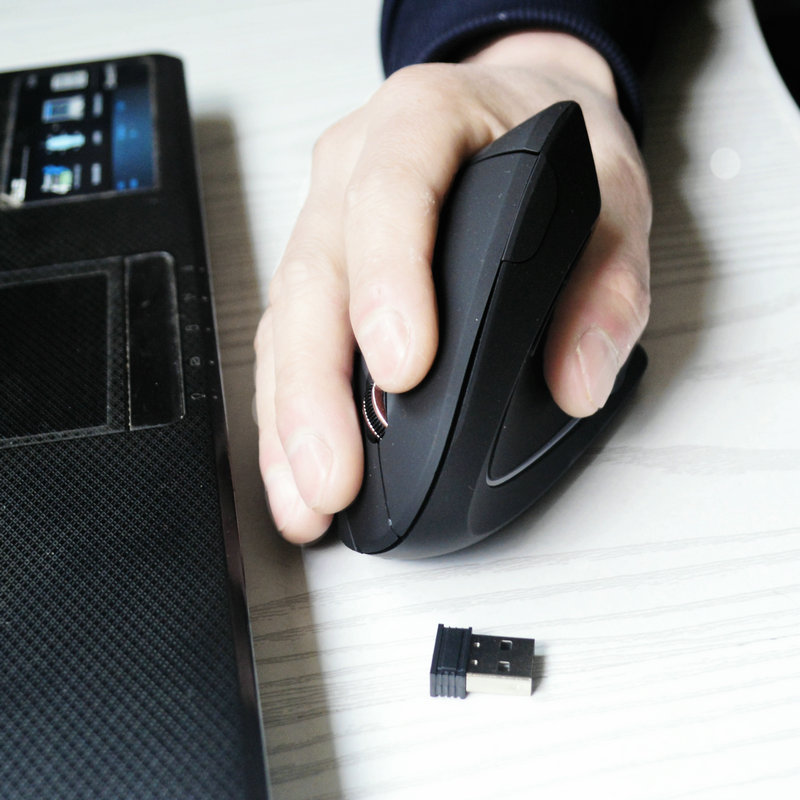
Silent computer mice have been engineered with precision to address the issue of noise pollution in workspaces. At the heart of these devices is a specialized micro-switch, a critical component that dictates the sound produced with each click. Unlike conventional micro-switches that create a sharp clicking sound, those in silent mice are designed to muffle the noise significantly. This advancement doesn’t just benefit the user but also creates a more harmonious environment for everyone around.
Moreover, the ergonomic design of silent mice plays a pivotal role in noise reduction. The contoured shapes and carefully calculated button placements ensure that your fingers interact with the device in a way that naturally dampens sound. This thoughtful engineering allows users to maintain the tactile feedback they need for accurate clicking without the associated auditory disruption.
Benefits Beyond Silence
Enhanced Productivity
The reduction in background noise can have a remarkable impact on focus and efficiency. In shared office spaces where multiple team members collaborate in close proximity, the absence of constant clicking can lead to fewer distractions and a more concentrated work atmosphere. Studies have shown that minimized noise levels can increase productivity by up to 15%, as employees experience fewer interruptions to their workflow.
Furthermore, in quiet environments such as libraries or home offices where concentration is paramount, silent mice enable users to work seamlessly without the guilt of disrupting others. This uninterrupted focus can lead to improved task completion rates and higher quality work output.
Ergonomic Advantages
Many silent computer mice are designed with ergonomics in mind. The sleek, contoured designs not only enhance comfort during extended use but also promote proper hand posture. This can be particularly beneficial in preventing strain and discomfort that often accompanies prolonged mouse usage.
Some high-end models incorporate advanced features such as customizable buttons and adjustable sensitivity settings. These allow users to tailor the mouse to their specific workflow, whether they are graphic designers requiring precise control or office workers needing efficient navigation through documents.
Choosing the Perfect Silent Mouse for Your Needs
Identifying Your Primary Use Case
The ideal silent mouse varies depending on your specific requirements. For gamers seeking a competitive edge without sacrificing quiet operation, models like the Logitech G Pro X Superlight offer a balance of silence and high-performance features. These mice often include programmable buttons and advanced sensor technology to track rapid movements accurately.
Office professionals, on the other hand, might prioritize comfort and seamless integration with productivity software. The Microsoft Surface Precision Mouse is a prime example, with its sleek design and compatibility with a wide range of applications. Its quiet operation and precision make it suitable for long hours of document navigation and video conferencing.
Evaluating Battery Life and Connectivity
Wireless silent mice have become increasingly popular due to their freedom of movement and reduced cable clutter. When selecting a wireless model, battery life is a crucial factor. Look for mice that offer at least 12-18 months of battery life, such as the Elecom Silent Mouse, which provides excellent value with reliable performance.
Connectivity options also deserve careful consideration. While Bluetooth connectivity is convenient for pairing with multiple devices, some users may prefer the稳定性 and lower latency of a USB receiver. The choice between these options often depends on your specific setup and the devices you intend to use the mouse with.
Assessing Build Quality and Durability
Investing in a silent mouse with superior build quality ensures long-term reliability. Look for mice constructed from durable materials such as aluminum or high-grade plastic. The Logitech M330 Silent Plus, for instance, features a robust design that can withstand daily wear and tear.
Additionally, consider the warranty and customer support offered by the manufacturer. A reliable warranty not only protects your investment but also reflects the company’s confidence in their product. Many reputable brands provide at least a one-year warranty, giving you peace of mind in case of any manufacturing defects.
Silent Computer Mice for Specialized Users
Gamers: Performance Without the Noise
Gamers require mice that can keep up with fast-paced actions while maintaining silence. The Razer DeathAdder V3 is a standout option, combining cutting-edge optical sensors for precise tracking with sound-dampening technology to minimize noise. Its contoured shape provides comfortable grip options, essential during marathon gaming sessions.
For those who prefer customizable RGB lighting and advanced software integration, the ASUS ROG Chakram offers a premium experience. Its hybrid tracking system and programmable buttons cater to the demands of competitive gamers without compromising on quiet operation.
Creative Professionals: Precision and Silence
Designers, illustrators, and other creative professionals need mice that offer the precision required for detailed work. The Apple Magic Mouse 2 stands out with its multi-touch surface and sleek design. Its silent operation ensures that the user’s focus remains on their creative process rather than being distracted by mouse clicks.
The Wacom Intuos Pro Pen and Touch Medium, while primarily a graphics tablet, includes a precision mouse that integrates seamlessly with creative software. Its pressure-sensitive features and quiet clicking mechanism make it a favorite among digital artists seeking both control and tranquility.
Future Trends in Silent Computer Mice
The technology behind silent computer mice continues to evolve rapidly. We can expect to see even more advanced micro-switch designs that further reduce noise levels while enhancing tactile feedback. Some manufacturers are exploring the integration of AI-driven noise cancellation directly into the mouse hardware, promising to eliminate any residual operating sounds completely.
Additionally, sustainability is becoming an increasingly important factor in the design and manufacturing of computer peripherals. Future silent mice may incorporate recycled materials and energy-efficient components, appealing to environmentally conscious consumers.
Silent Mouse Brands Making Waves
Logitech
Logitech has established itself as a leader in the silent mouse market. Their M330 Silent Plus model is renowned for its remarkable noise reduction capabilities and reliable performance. The brand’s commitment to ergonomic design ensures that their mice are comfortable for extended use, making them a favorite among office workers and home users alike.
Microsoft
Microsoft’s Surface Precision Mouse sets a high standard for precision and silent operation. Its compatibility with Windows devices and integration with Office applications make it an excellent choice for professionals within the Microsoft ecosystem. The mouse’s compact design and Bluetooth connectivity further enhance its appeal in modern work environments.
Elecom
Elecom offers a range of affordable yet high-quality silent mice. Their M-XGL1DR model, for example, combines excellent noise reduction with a comfortable grip. Elecom’s focus on accessibility without compromising on core features has garnered them a dedicated following among budget-conscious consumers.
Maintaining Your Silent Computer Mouse
Cleaning for Optimal Performance
Regular cleaning is essential to maintain the precision and silent operation of your mouse. Start by gently wiping the mouse body with a microfiber cloth to remove dust and fingerprints. For the mouse feet, which are crucial for smooth movement, use isopropyl alcohol on a cotton swab to dissolve any accumulated grime.
The internal sensor can be cleaned using a soft brush attachment on your vacuum cleaner or a camera lens brush. This helps prevent tracking issues caused by dust particles interfering with the sensor’s ability to detect surface movement accurately.
Troubleshooting Common Issues
If you encounter connectivity problems with a wireless silent mouse, ensure that the USB receiver is securely plugged into your computer or that your Bluetooth connection is active. Restarting your computer and the mouse can often resolve temporary glitches.
For mice with programmable buttons, resetting the device to its factory settings can sometimes address software-related issues. This process typically involves holding down specific button combinations, which are detailed in the user manual.
Conclusion
Silent computer mice represent a significant advancement in peripheral technology, offering users a quieter, more productive, and ergonomic computing experience. By understanding the different types of silent mice available, their benefits, and how to choose the right one for your specific needs, you can transform your workspace into a more efficient and peaceful environment. As technology continues to evolve, the future of silent mice looks promising, with innovations set to further enhance user experience.
How to Purchase:https://looperbuy.com/search?keywords=silent+computer+mice
Related Questions and Answers
What is the main difference between a silent mouse and a regular mouse?
The primary distinction between a silent mouse and a regular mouse lies in the micro-switch technology. Silent mice utilize specialized micro-switches designed to muffle the clicking sound significantly. This allows users to enjoy the same level of tactile feedback for precise clicking without the associated noise pollution. Regular mice, on the other hand, employ conventional micro-switches that produce a sharp clicking sound with each button press.
Do silent computer mice compromise on performance?
Silent computer mice are engineered to deliver performance comparable to regular mice while minimizing noise. They feature advanced sensor technology and ergonomic designs that ensure accurate tracking and comfortable usage. High-end silent mice even cater to specialized users like gamers and creative professionals, offering features such as programmable buttons and high-resolution sensors. So, no, performance is not compromised in well-designed silent mice.
How long do silent computer mice batteries usually last?
Battery life varies among silent computer mice models. Most wireless silent mice offer a battery life ranging from 12 to 18 months with regular use. Factors such as the frequency of use, the type of sensor technology, and the presence of additional features like RGB lighting can affect battery longevity. It’s advisable to check the manufacturer’s specifications for precise battery life expectations.
Are silent computer mice compatible with all operating systems?
The majority of silent computer mice are designed to be compatible with a wide range of operating systems, including Windows, macOS, and Linux. However, some models with advanced features or software integration may have specific system requirements. Always verify the compatibility details provided by the manufacturer to ensure the mouse will function optimally with your particular setup.
Can I connect a wireless silent mouse to multiple devices?
Yes, many wireless silent mice support multi-device connectivity. They can be paired with multiple devices via Bluetooth or a USB receiver and easily switched between them. This is particularly useful for users who work across different devices like a desktop, laptop, and tablet throughout their day.
Hot Tags: Silent Computer Mice; Noiseless Mouse; Quiet Computer Mouse; Ergonomic Silent Mouse; Wireless Silent Mouse; Logitech Silent Mouse; Microsoft Silent Mouse; Elecom Silent Mouse; Silent Mouse for Gamers; Silent Mouse for Office.