Table of Contents
Introduction
In the vast landscape of electronic accessories, the micro USB cable stands as a cornerstone of connectivity. From powering your devices to transferring crucial data, this seemingly simple cable has revolutionized how we interact with technology. The term “micro usb cable data” encompasses both the physical cable and its functionality in data transmission. This comprehensive guide delves into every aspect of micro USB cables, their data capabilities, applications, and how to choose the right one for your needs.
Understanding Micro USB Cable Data
What is a Micro USB Cable?
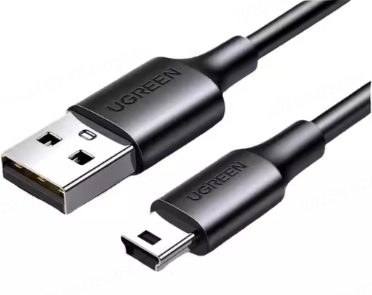
A micro USB cable is a standardized connector developed by the USB Implementers Forum. Introduced in 2007, it was designed to replace the mini USB connector in many devices. The “micro” designation refers to its small form factor, making it ideal for portable electronics. The cable typically consists of a standard USB Type-A connector on one end (for connecting to computers or power sources) and a micro USB connector on the other end (for connecting to devices).
Types of Micro USB Cables
Not all micro USB cables are created equal. They vary in:
- Length: Ranging from short 6-inch cables for travel to extended 10-foot cables for stationary setups
- Durability: Basic cables versus reinforced ones with braided exteriors
- Data Transfer Speed: Standard 2.0 (up to 480 Mbps) versus high-speed 3.0 (up to 5 Gbps)
- Power Delivery: Standard charging versus fast-charging capabilities
How Data Transfer Works
When you connect a micro USB cable between your device and a computer, several things happen simultaneously:
- The physical connection establishes electrical pathways
- The USB protocol initiates a handshake to identify connected devices
- Data packets are divided and transmitted across the cable
- Error checking ensures data integrity during transfer
This complex process happens almost instantaneously when you plug in your cable.
Applications of Micro USB Cable Data
Mobile Devices
Smartphones and tablets were among the first devices to widely adopt micro USB technology. The cable allows for:
- Charging the device battery
- Transferring photos, videos, and documents to and from computers
- Connecting to external storage for expanded capacity
- Establishing connections with peripherals like printers or cameras
External Storage Devices
Micro USB plays a crucial role in portable storage solutions:
- External hard drives use micro USB for both power and data transfer
- Flash drives often include micro USB adapters for device connectivity
- Backup solutions rely on micro USB connections for regular data synchronization
Other Electronic Devices
Beyond mainstream products, micro USB finds applications in:
- Digital cameras and camcorders for media transfer
- GPS navigation systems for updates and charging
- Gaming controllers for firmware updates
- Smart home devices for configuration and power
Factors to Consider When Choosing a Micro USB Cable
Cable Length
Selecting the appropriate length depends on your use case:
- Short cables (6-12 inches) : Ideal for travel due to portability
- Medium cables (3 feet) : Perfect for everyday use with minimal clutter
- Long cables (6-10 feet) : Suitable for stationary setups or when devices are far from power sources
Consider how and where you’ll use the cable most frequently to make the best choice.
Durability
Cable durability determines longevity and reliability:
- Standard cables : Basic construction with limited flex tolerance
- Braided cables : Reinforced exteriors resistant to tangling and breaking
- Armored cables : Metal or heavy-duty exteriors for extreme environments
- Right-angled connectors : Reduce stress on the connector point
Investing in more durable cables often saves money in the long run by reducing replacement frequency.
Data Transfer Speed
The USB protocol version significantly impacts performance:
- USB 2.0 : Supports up to 480 Mbps – sufficient for basic file transfers
- USB 3.0 : Supports up to 5 Gbps – ideal for large files and faster charging
- USB 3.1/3.2 : Even higher speeds (up to 10 Gbps) for future-proofing
Ensure both the cable and your devices support the desired USB version for optimal performance.
Compatibility
Not all micro USB cables work with every device:
- Check device requirements for voltage and current specifications
- Verify connector orientation and physical fit
- Consider special requirements for data transfer versus charging only
- Research manufacturer recommendations for approved cables
Taking time to confirm compatibility prevents potential damage to your devices.
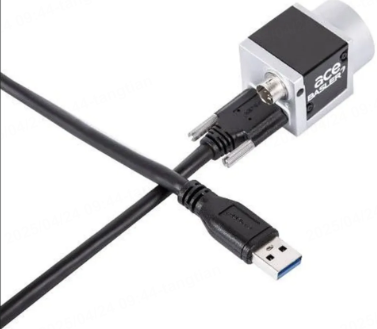
Top Micro USB Cable Data Brands and Models
Anker PowerLine Series
Anker has established itself as a premium brand in USB cables. Their PowerLine series offers:
- Durable braided exteriors
- High-speed data transfer capabilities
- Comprehensive device compatibility
- Multiple length options
These cables are particularly popular among travelers for their reliability.
AmazonBasics Micro USB Cable
For budget-conscious consumers, AmazonBasics provides:
- Affordable pricing without sacrificing basic functionality
- Standard lengths for common use cases
- Reliable charging performance
- Adequate data transfer speeds for everyday tasks
While not the most durable option, they serve well for casual users.
Belkin MIXIT Collection
Belkin’s MIXIT series combines style with functionality:
- Available in multiple colors and designs
- Reinforced connectors for extended lifespan
- Fast-charging capabilities
- Sleek profiles that avoid excessive bulk
These cables appeal to users who value aesthetics alongside performance.
Troubleshooting Common Issues
No Data Transfer
When your micro USB cable isn’t transferring data, try these solutions:
- Check physical connections at both ends
- Try a different USB port on your computer
- Test the cable with another device to isolate the issue
- Ensure proper driver installation on your computer
- Consider potential damage to the cable or device port
Slow Transfer Speeds
If data moves slower than expected:
- Verify the cable supports your device’s maximum transfer rate
- Check for interference from other USB devices
- Ensure adequate power supply during transfer
- Update device drivers and firmware
- Consider replacing older cables with higher-speed versions
Physical Damage
To prevent and address physical damage:
- Avoid bending the cable at sharp angles
- Use cable organizers to prevent tangling
- Inspect connectors regularly for signs of wear
- Replace damaged cables immediately to prevent electrical issues
- Consider upgrading to more durable cable types
Future of Micro USB Cables
USB-C Impact
The introduction of USB-C represents both a challenge and opportunity:
- Many newer devices are adopting USB-C for its reversible connector and higher capabilities
- Micro USB remains prevalent in older devices and certain specialized applications
- Adapter solutions allow continued use of micro USB cables with newer devices
- The transition period may extend for several more years as legacy devices remain in use
Legacy Support
Manufacturers continue to support micro USB for:
- Budget-friendly device production
- Industrial applications where durability and proven technology matter most
- Certain emerging markets where USB-C infrastructure is still developing
- Niche products that benefit from micro USB’s specific form factor
Conclusion
The micro USB cable data landscape offers diverse options to meet virtually any need. From understanding the technical specifications to selecting the right cable for your devices, this guide provides the knowledge necessary to make informed decisions. While USB-C gains momentum, micro USB remains relevant in numerous applications. By considering factors like length, durability, speed, and compatibility, you can enhance your tech experience and ensure reliable connectivity for years to come.
How to Purchase:https://looperbuy.com/search?keywords=micro+usb+cable+data
FAQs
What’s the maximum data transfer speed for a standard micro USB cable?
Standard micro USB cables typically support USB 2.0 speeds, which max out at 480 Mbps. However, some newer micro USB cables support USB 3.0 speeds up to 5 Gbps, making them suitable for faster data transfers and charging.
Can I use any micro USB cable with my device?
While many micro USB cables are universally compatible for basic charging, data transfer and fast charging may require specific cable types. Always check your device’s requirements for voltage, current, and USB protocol compatibility to ensure optimal performance and avoid potential damage.
How do I know if my micro USB cable is fast charging capable?
Fast charging capability depends on both the cable and your device’s specifications. Look for cables labeled as “fast charging,” “quick charge,” or with specific amperage ratings (typically 2.0A or higher). Verify your device supports fast charging standards like Qualcomm Quick Charge or USB Power Delivery for compatibility.
Why does my micro USB cable sometimes not transfer data?
Data transfer issues can stem from several factors: loose connections, damaged cables, incompatible USB ports, outdated device drivers, or the cable’s limitations. Try reseating the cable, testing different ports, checking for physical damage, and ensuring your devices have the latest drivers installed.
Are braided micro USB cables worth the extra cost?
Braided micro USB cables offer significantly improved durability compared to standard cables. They resist tangling, breaking, and wear at high-stress points like connectors. While they cost more initially, their longer lifespan often makes them more economical over time, especially for heavy users or those who value reliability.