Table of Contents
Introduction
A computer mouse is an indispensable input device for daily computer use. Choosing the right mouse can significantly enhance your computing experience, whether for gaming, work, or graphic design. This article offers comprehensive information on the types, features, and recommended models of computer mice to help you select the best one for your needs.

Types of Computer Mice
Optical Mouse
Optical mice use light-emitting diodes (LEDs) to detect movement and are currently the most widely used type of mouse. They feature durability and reliability due to their lack of moving parts. Most modern optical mice support adjustable DPI settings, allowing users to switch between different sensitivity levels based on their needs. For instance, a higher DPI setting enables faster cursor movement on the screen, which is ideal for gaming or browsing large documents. Optical mice perform well on various surfaces but may struggle on glossy or transparent surfaces where light reflection is poor.
Laser Mouse
Laser mice use laser beams instead of LEDs to track movement. They offer higher sensitivity and precision than optical mice and can function effectively on a wider range of surfaces, including glossy and transparent ones. This makes them a popular choice for professional gamers and graphic designers who require high accuracy and responsiveness. However, laser mice are generally more expensive than optical mice and may consume more power, which can be a drawback for wireless models.
Trackball Mouse
Trackball mice feature a stationary base with a large ball on top. Users control the cursor by rotating the ball with their fingers or thumb. This design is particularly beneficial for individuals with carpal tunnel syndrome or other repetitive strain injuries, as it reduces wrist movement and strain. Trackball mice are also advantageous in confined spaces, such as on a couch or in bed, where traditional mice may be difficult to use. However, they require some time to get accustomed to and may not be as precise as standard mice for tasks like drag-and-drop and selection.
Vertical Mouse
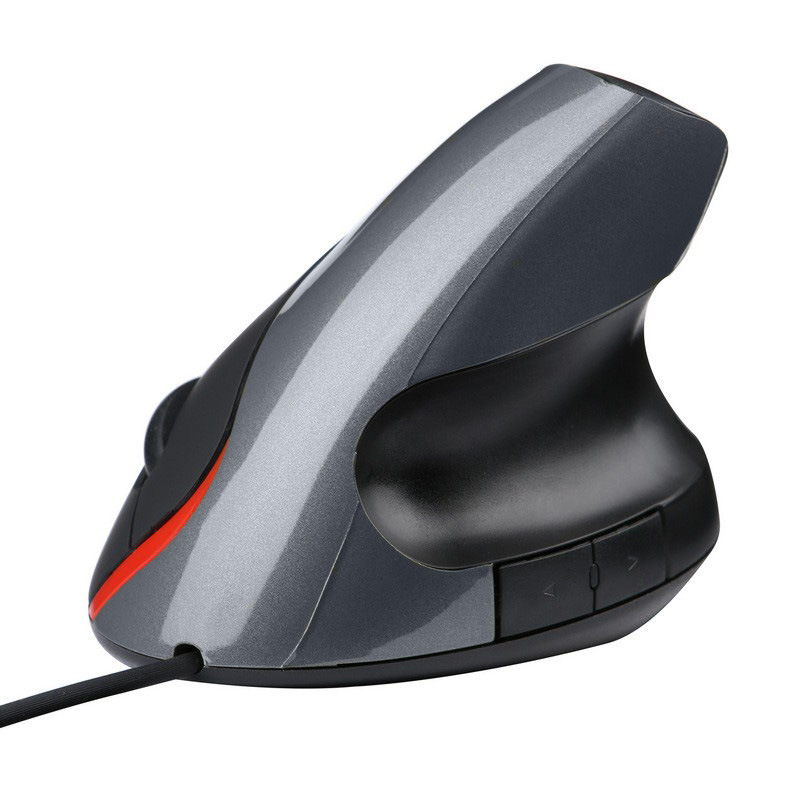
Vertical mice are designed with an ergonomic vertical grip, allowing users to hold the mouse in a handshake position. This design helps reduce wrist strain and discomfort, making it an excellent option for users who experience wrist pain during prolonged mouse use. Some vertical mice also feature adjustable DPI and programmable buttons to meet the needs of different users. However, vertical mice may require a period of adjustment for users accustomed to traditional horizontal mice.
Pen Mouse
A pen mouse is shaped like a pen and is held similarly. Unlike a stylus, it does not work on touchscreens or offer pressure sensitivity. Pen mice can serve as a viable alternative for users with carpal tunnel syndrome or other wrist issues. The pen-like grip allows for different holding positions to prevent fatigue. While pen mice provide decent pointing and left-click accuracy and work well for drag-and-drop operations, they often have small buttons with awkward placements, leading to accidental right-clicks. They are not suitable for precise drawing tasks.
Gaming Mouse
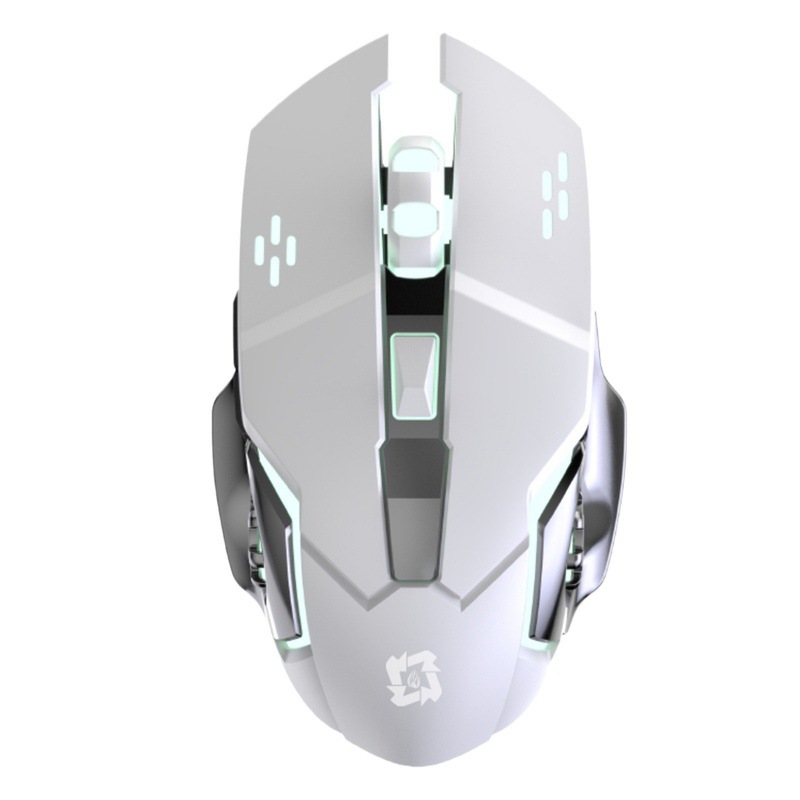
Gaming mice are specifically designed for gamers and feature low latency, precise sensors, and faster response times. They often come with programmable buttons, additional lighting effects, and customizable settings to meet the demands of different games and gaming styles. For example, the Razer DeathAdder V3 Pro is a wireless gaming mouse with a symmetrical design, offering up to 30,000 DPI, a lightweight and breathable design, and high-precision sensors, providing gamers with excellent control and responsiveness.
Ergonomic Mouse
Ergonomic mice are designed to fit the natural shape of the hand, minimizing strain and discomfort during prolonged use. They often feature curved designs, wrist rests, and other ergonomic elements to provide users with greater comfort. Ergonomic mice are suitable for users who experience wrist pain or discomfort while using traditional mice. For instance, the Logitech MX Master 2S is an ergonomic mouse designed for designers and CAD professionals. It features a precision scroll wheel and customizable buttons that allow users to map shortcuts to frequently used commands.
Wireless Mouse
Wireless mice connect to computers via Bluetooth or wireless dongles, offering greater freedom of movement and a clutter-free workspace. They are particularly convenient for users who frequently travel or work in different locations. Most modern wireless mice provide excellent battery life and stable connections. For example, the Logitech G Pro X Superlight is a wired/wireless hybrid gaming mouse. It weighs only 63g, making it one of the lightest gaming mice on the market. It features a high-precision sensor, programmable buttons, and a comfortable design, delivering excellent performance and responsiveness for gamers.
Wired Mouse
Wired mice connect directly to computers via a cable, offering lower latency and faster response times, making them a preferred choice for competitive gamers. They typically have a simpler structure and are more durable than wireless mice. Additionally, wired mice do not require battery replacements or charging. For example, the Razer Basilisk V3 Pro is a wired gaming mouse with a comfortable design and excellent performance. It features a high-precision sensor, programmable buttons, and customizable RGB lighting, providing gamers with precise control and responsiveness.
How to Choose the Best Computer Mouse
Consider Your Use Case
Different use cases require different types of mice. If you are a gamer, a gaming mouse with low latency, high sensitivity, and programmable buttons is recommended. For graphic designers, an ergonomic mouse with high precision and adjustable DPI settings is ideal. Office workers may prefer a comfortable and easy-to-use wireless mouse.
Budget
Computer mice are available at various price points. If you are on a tight budget, you can opt for basic optical mice that meet everyday needs. However, if you require higher performance and more features, you may need to invest in premium mice such as gaming mice or ergonomic mice. Generally, gaming mice and high-end ergonomic mice are relatively expensive but offer better performance and user experience.
Size and Shape
Choose a mouse size and shape that fits your hand comfortably. Some users prefer smaller mice, while others like larger ones. There are also ambidextrous mice suitable for both right-handed and left-handed users. Additionally, consider the mouse’s weight. Lighter mice may provide faster movement and better control, while heavier mice may offer greater stability.
Connection Method
If you prioritize freedom of movement and a clutter-free workspace, a wireless mouse is a good choice. However, if you require low latency and fast response times for gaming or professional work, a wired mouse may be more suitable. Wireless mice are also more convenient for travel.
Brand and Quality
Well-known brands typically offer higher-quality mice with better after-sales support. Brands like Logitech, Razer, and Corsair have extensive experience in mouse manufacturing and provide a wide range of products to meet the needs of different users. When purchasing, choose mice from reputable brands with positive user reviews to ensure quality and performance.
Conclusion
Computer mice come in various types and brands, each designed to meet the needs of different users. Whether you are a gamer, graphic designer, or office worker, selecting the right mouse can enhance your computing experience and improve productivity. Consider your use case, budget, size and shape preferences, connection method, and brand when choosing a mouse. With the above information as a guide, you can select the best computer mouse to meet your needs.
How to Purchase:https://looperbuy.com/search?keywords=computer+mice
Frequently Asked Questions
Q: What is the best type of mouse for carpal tunnel syndrome?
A: Ergonomic mice and trackball mice are excellent choices for individuals with carpal tunnel syndrome. Ergonomic mice are designed to fit the natural shape of the hand, reducing wrist strain and discomfort. Trackball mice allow users to control the cursor by rotating a ball with their fingers or thumb, minimizing wrist movement and strain.
Q: Can I use a gaming mouse for regular computer work?
A: Yes, gaming mice are suitable for regular computer work. They offer high precision and durability, providing excellent performance for daily tasks. Additionally, gaming mice often feature programmable buttons and customizable settings, which can enhance work efficiency.
Q: How do I choose between a wireless and wired mouse?
A: Consider your workspace and mobility needs. If you frequently travel or dislike cable clutter, a wireless mouse is likely the better choice. However, if you prioritize low latency and fast response times, a wired mouse may be more suitable. Wireless mice are also more convenient for travel.
Q: Which is more precise, an optical or laser mouse?
A: Laser mice generally offer greater precision than optical mice. They can detect even subtle movements on various surfaces and are less affected by surface conditions. Therefore, laser mice are often preferred by professional gamers and graphic designers.
Q: What are the advantages of vertical mice?
A: Vertical mice feature an ergonomic vertical grip, allowing users to hold the mouse in a handshake position. This design helps reduce wrist strain and discomfort, making it an excellent option for users who experience wrist pain during prolonged mouse use. Some vertical mice also offer adjustable DPI and programmable buttons to meet the needs of different users.
Hot Tags:Best Computer Mice;Types of Computer Mice;Best Gaming Mouse;Ergonomic Mouse;Optical Mouse;Laser Mouse;Trackball Mouse;Vertical Mouse;Wireless Mouse;Wired Mouse.