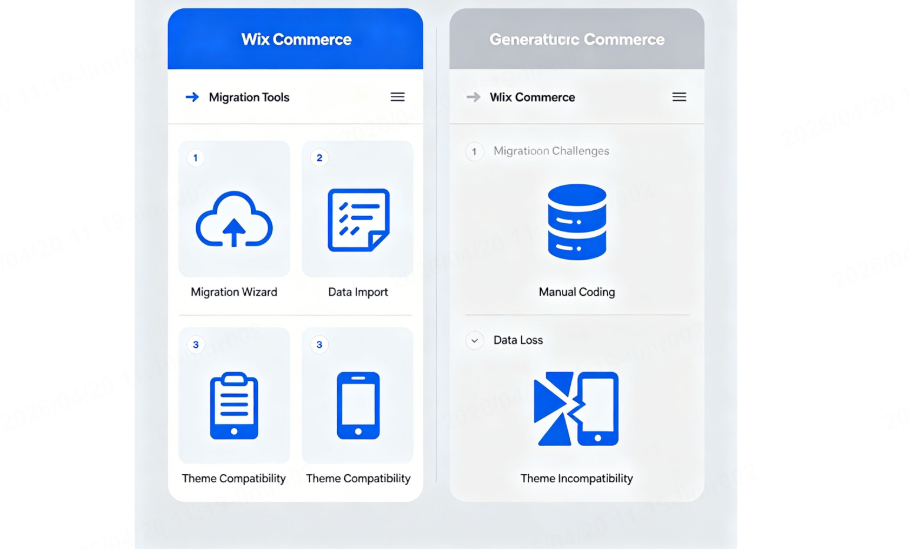
When I first started helping small and mid-sized businesses evaluate e-commerce platforms, migration was rarely the first topic anyone wanted to discuss. Everyone wanted to talk about templates, payment gateways, and sales funnels. But after watching dozens of merchants struggle with the consequences of a poorly planned platform move — lost SEO rankings, broken product data, weeks of downtime — I’ve come to believe that evaluating a platform’s migration readiness is just as important as evaluating its storefront features.
In this article, I’ll walk you through what you need to know about Wix Commerce on migration — not just how to do it, but whether you should, and how to avoid the costly mistakes that so many sellers make.
Table of Contents
Why Migration Capability Matters More Than You Think
Most e-commerce platform comparisons focus on the shiny stuff: design flexibility, AI tools, and built-in marketing features. But migration is where the real costs — and risks — live.
When you choose a platform, you’re not just picking a tool for today. You’re making a decision that could lock you in for years. According to industry data, as of May 2025, Wix powers approximately 3.8% of all websites worldwide, while Shopify leads slightly at 4.7%. That’s millions of merchants who will eventually face the question: stay, or go?
For many, the answer isn’t clear-cut. Wix has made extraordinary progress in recent years, but its proprietary ecosystem still presents unique migration challenges that open-source alternatives like WooCommerce don’t share. Understanding these tradeoffs before you commit is essential.
How Wix Commerce Handles Migration: The Reality Check
Let me be direct about what the migration process actually looks like on Wix Commerce.
Moving to Wix
If you’re migrating to Wix from another platform, the process is more manual than you might hope. Wix does not offer a one-click migration tool for most platforms. As Wix itself acknowledges, migrating from WooCommerce, for example, requires manually re-entering your products, descriptions, images, and pricing.
That said, there are workarounds. Wix supports the Cart2Cart app, which can transfer data from over 85 different e-commerce platforms. The app itself is free to add to your Wix site, but Cart2Cart charges a fee based on the platform you’re migrating from, the data volume, and any optional services you select. A free demo is available to test the migration before you commit — a feature I strongly recommend using.
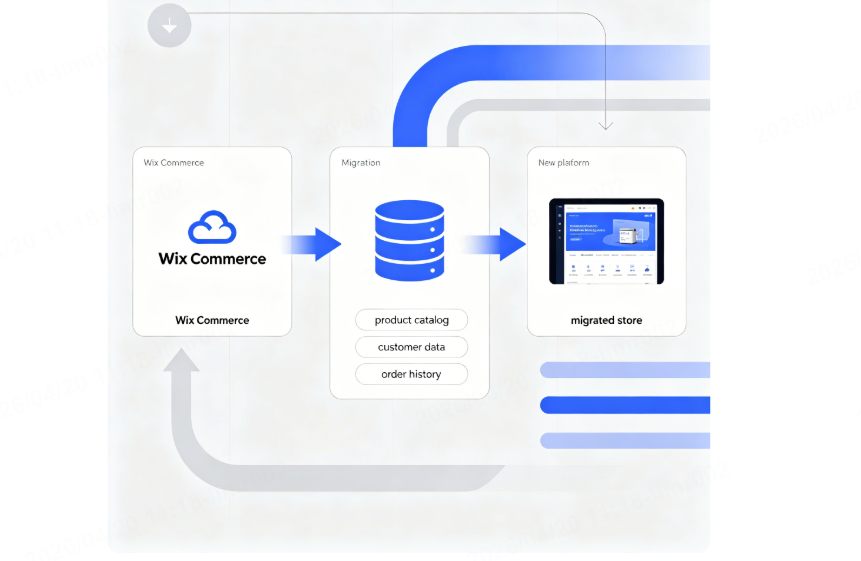
Moving away from Wix
This is where the conversation gets more complicated. Wix operates within a proprietary ecosystem, meaning you cannot simply export your entire website and move it to another host. As multiple experts have noted, Wix’s proprietary structure makes migration “virtually impossible” without rebuilding from scratch.
This doesn’t mean you shouldn’t use Wix. It means you should go in with open eyes: Wix is an excellent platform for businesses that plan to grow with it, but less suitable for those who anticipate needing to switch platforms down the road.
The Migration Cost Breakdown: What You’ll Actually Pay
I’ve seen too many business owners budget only for the new platform’s monthly subscription, only to be blindsided by migration expenses. Here’s what to expect when evaluating Wix Commerce on migration costs.
Direct Migration Costs
| Expense Category | Estimated Cost Range |
|---|---|
| Cart2Cart migration fee | Varies by platform and data volume |
| Developer assistance | $150 – $300+ for professional setup |
| App subscriptions (post-migration) | $23 – $159/month (Wix Business plans) |
Wix’s subscription plans for e-commerce start at approximately $29/month (Core plan) and go up to $159/month (Business Elite plan) when billed annually.
Hidden Costs to Watch For
Beyond the obvious expenses, merchants frequently overlook:
- SEO redirect mapping — Failing to set up 301 redirects from old URLs to new ones is one of the most common migration mistakes, and fixing broken links post-launch can cost significant time and money.
- Data cleanup — Platform databases use different structures. Fields like product variants may not import correctly without manual adjustment.
- Template lock-in — Once you build your Wix site with a specific template, you cannot switch to a different template without rebuilding entirely.
Case Study: A Seller’s Real-World Migration Experience
Several months ago, I consulted with a home decor brand that had outgrown their basic Wix store. They were processing over 500 orders per month and needed advanced inventory management and multi-channel selling capabilities.
The owner, let’s call her Sarah, had three options: upgrade to Wix’s Business Elite plan, migrate to Shopify, or rebuild on WooCommerce.
What she discovered:
- Upgrading within Wix was the fastest path — no migration required, just a plan change.
- Migrating to Shopify would cost roughly $400 in developer time plus a month of transition work.
- Moving to WooCommerce would require the most technical investment but offered the greatest long-term flexibility.
Sarah ultimately chose to stay with Wix and upgrade to the Business Elite plan. For her, the seamless transition and retained SEO value outweighed the desire for more advanced features. But she now knows that if her business continues its current growth trajectory, she will eventually need to migrate — and she’s already budgeting for that possibility.
A 2026 Perspective: What’s Changed on Wix Commerce
Before making any platform decision, it’s worth understanding where Wix Commerce stands today — because the platform has evolved significantly.
New Features That Impact Migration Decisions
In late 2025, Wix launched several major updates that change the calculus for merchants:
- Agentic Commerce Suite — A partnership with Stripe that allows Wix stores to integrate directly with AI agents like ChatGPT, enabling product discovery through AI-driven conversations.
- Multi-currency payouts — Customers can pay in their local currency while merchants receive funds in their chosen business currency, removing friction for international sales.
- AI-powered SEO audits — Real-time SEO health scores that predict ranking likelihood based on competitor data.
The SEO Reality Check
One of the longest-running criticisms of Wix has been its SEO limitations. However, independent data now tells a different story. According to the HTTP Archive Web Almanac, Wix was the only CMS to achieve a perfect median Lighthouse SEO score of 100 on both desktop and mobile — in both 2024 and 2025.
As SEO expert Neil Patel notes, Wix has significantly improved its built-in SEO tools, offering AI-powered keyword suggestions, expanded metadata optimization, automatic sitemaps, and mobile-first indexing. The Wix SEO Setup Checklist now provides step-by-step guidance that helps even beginners achieve strong search visibility.
That said, some limitations remain. Wix sites can still lag behind WordPress in Core Web Vitals, particularly on mobile load times, according to independent tests. For businesses in highly competitive e-commerce niches, these gaps can translate into higher customer acquisition costs.
Your Migration Checklist: How to Evaluate Wix Commerce Before Moving
When you’re evaluating whether to migrate to — or from — Wix Commerce, use this checklist to guide your decision:
| Step | Action Item |
|---|---|
| 1 | Audit your current platform — What features do you actually use? What’s missing? |
| 2 | Map your data — Export product, customer, and order data. Identify fields that may not transfer cleanly. |
| 3 | Run a test migration — Use Cart2Cart’s free demo or hire a developer to test a small data set first. |
| 4 | Plan your redirects — Before launch, create a list of all existing URLs and map them to new URLs. Implement 301 redirects for every changed link. |
| 5 | Preserve your SEO — Document all meta titles, descriptions, and keywords before migrating. |
| 6 | Budget realistically — Include migration fees, potential developer costs, and the first 6 months of new subscription fees. |
| 7 | Test everything post-launch — Verify products, prices, images, customer accounts, and checkout functionality before going live. |
When Should You Migrate? A Decision Framework
After working with dozens of merchants, I’ve developed a simple framework for when migration makes sense:
Migrate to Wix Commerce if:
- You’re a small business or solopreneur just starting out.
- Design flexibility and ease of use are your top priorities.
- You don’t anticipate needing complex customizations or enterprise-level features.
- You’re comfortable with the template lock-in limitation.
Consider migrating away from Wix Commerce if:
- Your product catalog has grown beyond 50,000 SKUs.
- You need deep technical SEO control (custom URL structures, advanced schema markup).
- You plan to scale to enterprise-level operations within 2–3 years.
- You want the flexibility to change platforms without rebuilding your entire store.
How LooperBuy Helps Merchants Navigate Platform Migration
As a One-Stop B2B Sourcing Platform serving global brands, wholesalers, and manufacturers, LooperBuy has helped countless merchants streamline their supply chain during platform transitions. Whether you’re migrating to a new e-commerce platform or simply expanding your product catalog, our global sourcing network ensures you never face inventory gaps during the transition.
When you’re in the middle of a platform migration, the last thing you need is supplier disruptions. LooperBuy connects you directly to vetted Chinese manufacturers across thousands of product categories, with flexible small-batch ordering and cost-effective global logistics. That means you can focus on getting your new store right — without worrying about whether your products will arrive on time.
References
- Wix Product Roadmap & Planned Features (Q2 2026) — www.wix.com/updates
- Wix eCommerce Review 2026 — Sonary — sonary.com/b/wix-com/wix-stores+ecommerce/
- Wix vs. WooCommerce: Which E-commerce Platform Wins in 2025? — Wix Blog — www.wix.com/blog/wix-vs-woocommerce
- Wix Ecommerce Review 2025 — Plumrocket — plumrocket.com/blog/wix-ecommerce-review
- Wix vs. BigCommerce Comparison Guide — Coalition Technologies — coalitiontechnologies.com/blog/battle-of-the-builders-a-comprehensive-comparison-guide-to-wix-vs-bigcommerce
- Wix vs. Shopify: We Have a Winner for 2025 — G2 — learn.g2.com/wix-vs-shopify
- Modified eCommerce to Wix Migration Guide — Wix Migration — wix-migration.com/migrate-to-wix/modifiedecommerceshopsoftware/
- New Wix Features 2025 — WebExPart Falgun — www.webexpartfalgun.com/post/new-wix-features-2025-year-end-updates-you-need-to-scale-in-2026
- 10 Common Mistakes When Migrating Online Store (2025) — Next-Cart — next-cart.com/blog/10-common-mistakes-when-migrating-online-store-2025/
- A Guide to Wix SEO (2025) — Neil Patel — neilpatel.com/blog/wix-seo/
- Wix SEO Performance in 2024 and 2025 — Colloco Marketing — www.colloco.marketing/post/wix-seo-performance-in-2024-and-2025-a-quiet-shift-in-the-data
Frequently Asked Questions
Q1: Can I migrate my existing WooCommerce store to Wix Commerce without losing data?
Yes, but it requires manual effort. Wix does not offer a direct one-click migration tool from WooCommerce. You’ll need to manually re-enter your products, descriptions, images, and pricing, or use a third-party migration app like Cart2Cart.
Q2: Is Wix Commerce good for SEO in 2026?
Yes. According to independent data from the HTTP Archive Web Almanac, Wix achieved a perfect median Lighthouse SEO score of 100 on both desktop and mobile in both 2024 and 2025. While some limitations remain compared to open-source platforms, Wix’s built-in SEO tools have improved significantly.
Q3: What’s the biggest risk when migrating away from Wix Commerce?
The proprietary nature of Wix’s ecosystem means you cannot simply export your entire site and move it to another platform. Migrating away typically requires rebuilding your store from scratch, which can be time-consuming and costly.
Q4: How much does it cost to migrate to Wix Commerce?
Wix e-commerce plans start at approximately $29/month (Core plan) and go up to $159/month (Business Elite plan) when billed annually. Migration fees from third-party platforms vary depending on data volume and the source platform.
Q5: When should I consider migrating away from Wix Commerce?
Consider migrating if your product catalog exceeds 50,000 SKUs, you need deep technical SEO control, or you plan to scale to enterprise-level operations within 2–3 years. For small to medium-sized businesses, however, Wix remains an excellent choice.
Article Meta Description
Evaluating the e-commerce platforms? This expert guide breaks down Wix Commerce on migration — costs, SEO performance, and a decision framework. Includes real case study, 2026 updates, and a 7-step migration checklist. Perfect for small business owners and B2B merchants.
High-Volume B2B Keywords
B2B sourcing platform China, cross-border e-commerce procurement, global direct sourcing from China, B2B wholesale marketplace China, international logistics for B2B buyers, bulk purchase China suppliers, verified Chinese manufacturers B2B, multi-category product sourcing, LooperBuy B2B platform, e-commerce platform migration for B2B
Hot tags
B2B sourcing platform China | cross-border e-commerce procurement | global direct sourcing from China | B2B wholesale marketplace China | international logistics for B2B buyers | bulk purchase China suppliers | verified Chinese manufacturers B2B | multi-category product sourcing | LooperBuy B2B platform | e-commerce platform migration for B2B