Conclusion: The computer keyboard, once a mechanical extension of the typewriter, has evolved into a diverse landscape of technology, design, and personal expression. From the utilitarian membrane boards of office cubicles to the highly personalized, tactile landscapes of custom mechanical builds, the keyboard remains our primary bridge to the digital world. As we look at a modern computer keyboard image, we are seeing more than just a tool; we are seeing the synthesis of ergonomics, aesthetic preference, and technological history that defines our interaction with information in the 21st century.
Table of Contents
The Aesthetic and Functional Evolution of Input Devices
The visual representation of a keyboard—a computer keyboard image—often tells a story of an era. Early images depicted beige, bulky mechanical blocks that prioritized function over form. These devices were the workhorses of the early digital revolution, defined by their loud clicks and substantial travel distance. As we look back, these images serve as historical markers of how computing moved from specialized labs into the average home.
From Mechanical Typewriters to Digital Interfaces
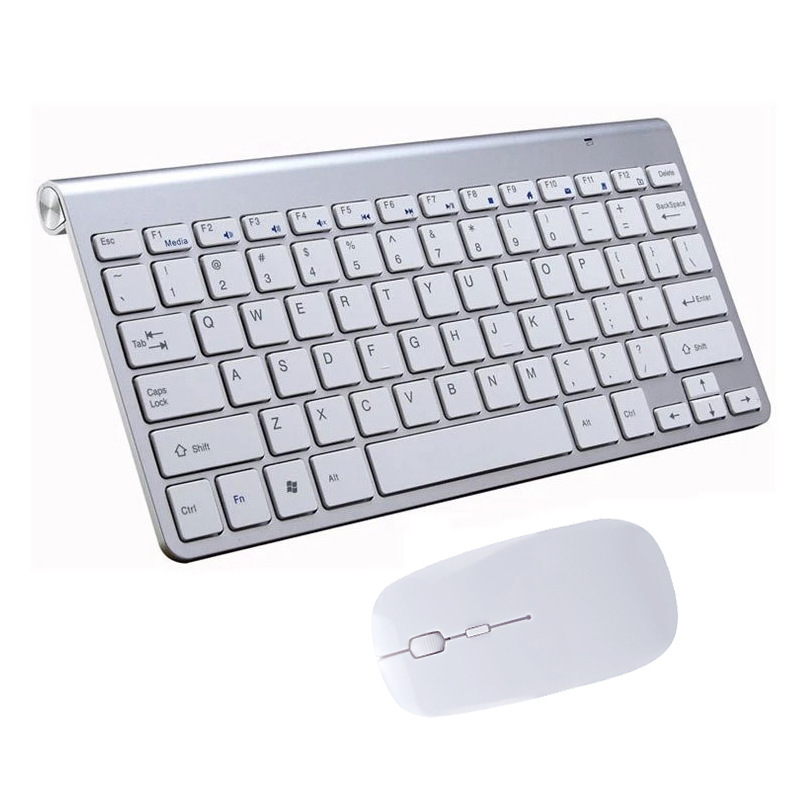
The lineage of the keyboard is tied directly to the mechanical typewriter. The transition from physical ink-on-paper machines to electronic computer input devices was not an overnight shift but a gradual refinement. Early keyboard images from the 1970s and 1980s showcase the experimental nature of this technology, where companies were still determining the ideal layout, key shape, and actuation force. This era established the foundational QWERTY layout that remains the dominant standard today. The psychological imprint of the typewriter is so strong that even on modern touchscreens, we replicate the sound and layout of those physical keys to facilitate comfort and familiarity. This cultural legacy persists in the design of every modern peripheral, proving that some interfaces are so effective they require little more than a refinement of their historical ancestors.
The Rise of Visual Culture in Keyboard Enthusiasts
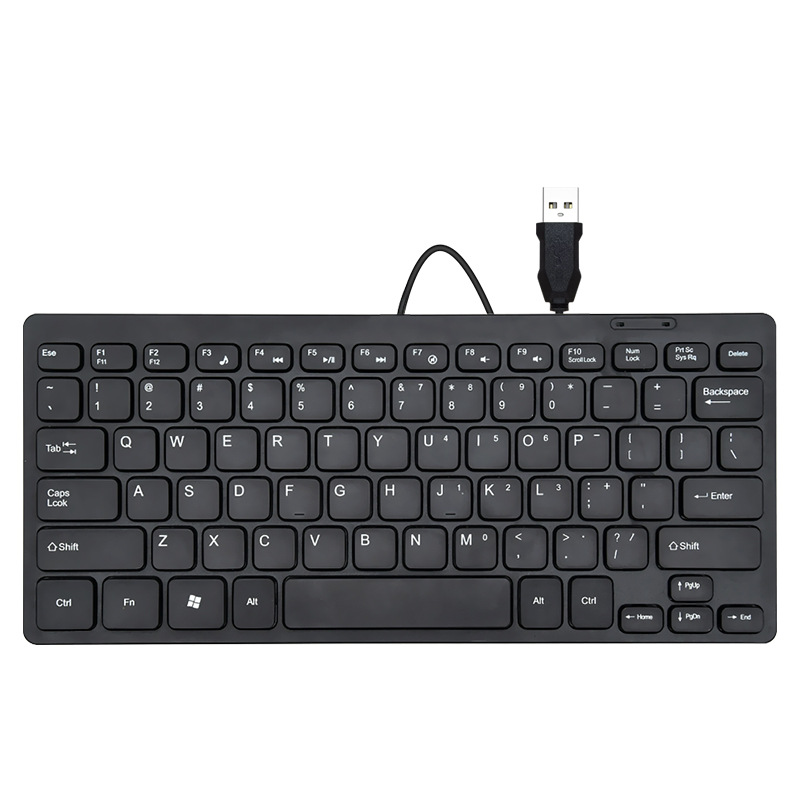
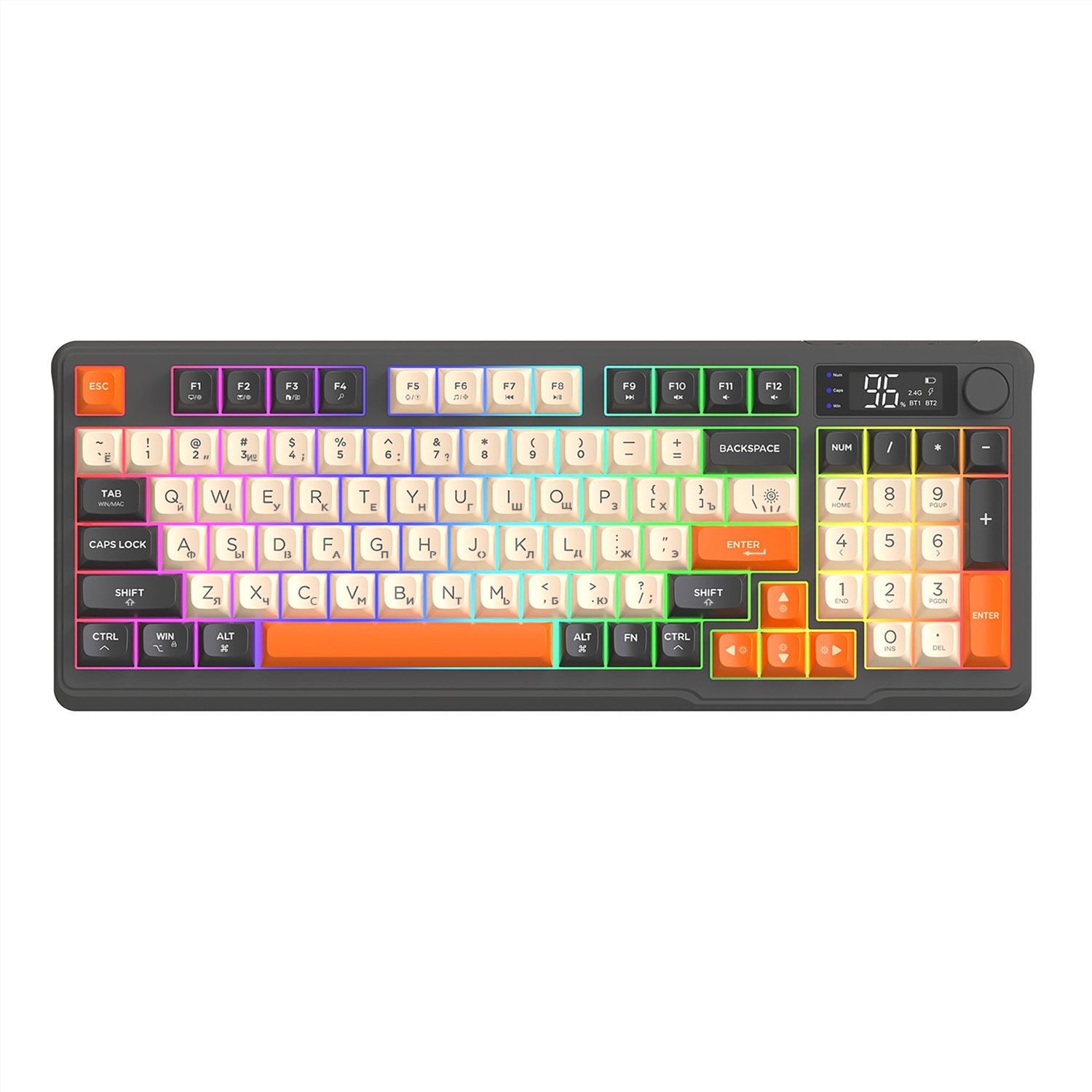
In recent years, the keyboard has transcended its role as a mere peripheral to become a centerpiece of desk aesthetics. Modern photography has turned the humble keyboard into a subject of art. A high-quality computer keyboard image today often features vibrant RGB lighting, custom artisan keycaps, and premium case materials. This shift signifies a change in how users perceive their workspaces; the keyboard is now an extension of personal identity and style. Social media platforms like Instagram and Pinterest have fueled a “desk setup” culture where the keyboard is the focal point, leading to a booming market for artisan keycaps—miniature sculptures that turn a standard row of keys into a gallery of personal expression. The community-driven nature of this hobby, bolstered by forums and group buys, means that today’s keyboard isn’t just purchased; it is curated.
Technical Foundations: Switches, Layouts, and Materials
Understanding the technical diversity behind a computer keyboard image requires looking under the keycaps. The “feel” of a keyboard—often described in reviews and by enthusiasts—is primarily determined by the switch mechanism.
The Engineering Behind the Click
Mechanical switches are the heart of the modern enthusiast keyboard market. Each switch is engineered to provide a specific tactile profile and sound signature. When you examine a macro computer keyboard image focusing on the exposed switch, you are looking at a complex piece of engineering. These switches utilize metal springs and contacts to register keystrokes with precision. The popularity of “hotswap” boards allows users to swap these switches out easily, enabling a degree of customization that was unthinkable just two decades ago. Enthusiasts often lubricate their switches—a process known as “lube-ing”—to achieve a smooth, butter-like feel and a deeper, more refined acoustic resonance, transforming the mundane act of typing into a sensory experience that rivals fine instruments.
Material Science and Chassis Construction
Beyond the switches, the materials used in a keyboard significantly impact its longevity and tactile feedback. ABS plastic, once the industry standard, is increasingly being replaced by PBT plastic in high-end keyboards due to its resistance to shine and texture durability. Similarly, the chassis—the frame holding the keys—has shifted from lightweight plastic to heavy-duty CNC-machined aluminum, brass, or even polycarbonate. Each material choice changes the resonance of the typing sound and the weight of the device, creating a distinct “feel” that is often the deciding factor for serious typists and gamers alike. The weight of a keyboard—once a metric of “cheapness”—is now a luxury feature; a heavy, metal-clad keyboard provides a sense of stability and permanence on the desk.
The Geometry of Productivity
The size and layout of a keyboard have a profound impact on productivity and desk space. While the full-size keyboard remains standard for data entry, the rise of compact layouts—such as Tenkeyless (TKL), 75%, and 60%—has changed the landscape of keyboard photography. These smaller boards are often depicted in minimalist setups, emphasizing clean lines and uncluttered desk space. Understanding these form factors is essential for anyone trying to select the right tool for their specific workflow, whether they are a programmer needing function keys or a gamer prioritizing mouse room. The elimination of the numpad or the navigation cluster is not just about saving space; it is about bringing the mouse closer to the keyboard to reduce shoulder strain and increase efficiency during intense workflows.
Ergonomics, Sustainability, and the Future of Typing
One of the most critical aspects of keyboard design that often goes unnoticed in a standard computer keyboard image is ergonomics. As we spend more hours in front of screens, the physical strain caused by repetitive typing has become a major concern.
Redefining the Human Interface
Ergonomic keyboards often feature split designs, tenting capabilities, or contoured key profiles. These boards look radically different from standard rectangles, and their unique geometry is a testament to the pursuit of comfort. Photography focusing on these devices highlights the human-centric approach to design, showing how curves and angles can replace the flat, rigid lines of traditional layouts. By splitting the keyboard into two halves, users can keep their shoulders open and their wrists straight, preventing the long-term strain associated with “hunched” typing postures. The integration of wrist rests—often made from memory foam, gel, or walnut wood—adds another layer of comfort, emphasizing that the best keyboard is one that effectively disappears into the workflow by causing the least amount of resistance.
Sustainable Practices in Peripheral Manufacturing
As the market grows, there is an increasing focus on the environmental impact of these devices. Manufacturers are beginning to embrace more sustainable materials, such as recycled plastics, wood, and biodegradable polymers. This shift towards “eco-conscious” typing gear represents the next evolution in the industry. Beyond materials, the push for repairability—facilitated by hot-swappable switches and modular case designs—ensures that keyboards remain useful for years or even decades, moving us away from a “throwaway” culture and toward a model of long-term investment in our tools.
Innovations on the Horizon: The Convergence of Tech
Looking forward, the concept of a keyboard is set to evolve even further. We are seeing early iterations of keyboards that integrate haptic feedback, OLED screens within keys, and even designs that move away from physical hardware entirely to embrace virtual interfaces.
Intelligent and Contextual Adaptation
Imagine a keyboard where the display on each key changes based on the application you are using. If you are editing a video, the keys could map to specific timeline functions; if you are coding, they could highlight syntax-specific operators. This “dynamic” keyboard concept is already appearing in high-end studio gear, but as technology shrinks, it will reach mainstream consumer levels. Future keyboard images may not show static, printed letters at all, but rather active surfaces that react to the context of the user’s software, turning the keyboard into a living, breathing part of the interface. We are also seeing the integration of bio-sensors and gesture controls, where the keyboard acts not just as an input device, but as a hub for monitoring user health and physical interaction.
Wireless Freedom and Global Connectivity
As wireless technology matures, the “lag” that once kept professionals tethered to their computers with cables is vanishing. Today’s high-performance wireless boards offer latency levels indistinguishable from wired connections, allowing for a cleaner, more minimalist desk aesthetic. This shift toward “cable-free” setups has fundamentally changed the way we photograph and design workspaces. The keyboard is becoming more mobile, designed to be switched between a work laptop, a home desktop, and a mobile tablet seamlessly. This multi-device connectivity is the next frontier of keyboard utility, ensuring that the primary interface of the digital world remains as flexible as our lifestyles. As we continue to blur the lines between portable computing and desktop power, the keyboard remains our primary bridge, evolving with us into an increasingly digital, touch-driven, and hyper-connected future.
How to purchase:Online B2B sourcing platform, China purchase, Chinese suppliers – LooperBuy
Summary:
This article explores the multi-faceted world of the computer keyboard, tracing its evolution from its typewriter origins to its current status as a vital, stylish, and ergonomic tool. It examines the technical components like switch types, materials, and layouts that define the user experience, while also highlighting the growing importance of aesthetics and custom design in modern desk setups. Finally, it looks at the vital role of ergonomics, environmental sustainability, and future innovations—including contextual intelligence and wireless mobility—that promise to further enhance our interaction with digital devices by blending physical mechanics with intuitive technological advancements.
Hot Tags:
Computer Keyboard; Mechanical Keyboard; Keyboard Switches; Ergonomic Design; Custom Keycaps; RGB Lighting; QWERTY Layout; Typing Experience; Desk Setup; Peripheral Devices; TKL Keyboard; 60 Percent Keyboard; Keyboard Modification; Hotswap Switches; Tactile Switches; Linear Switches; Clicky Switches; Wireless Keyboard; Bluetooth Connectivity; Keyboard History; Input Hardware; Wrist Support; Split Keyboard; Keyboard Aesthetics; Productivity Tools; Tech Trends; Gaming Peripheral; Modern Workstation; Typing Comfort; Keyboard Customization
Related Questions & Answers
· What is the most popular keyboard layout?
The most popular layout globally is the QWERTY layout, which originated with early mechanical typewriters and was designed to prevent the jamming of key arms.
· Why are mechanical keyboards more popular than membrane keyboards for enthusiasts?
Mechanical keyboards are preferred for their superior tactile feedback, durability, customization options, and the ability to choose specific switch types that match personal typing preferences.
· What does “TKL” mean in keyboard terms?
TKL stands for “Tenkeyless.” It refers to a keyboard layout that lacks the dedicated numeric keypad on the right side, resulting in a more compact size that saves desk space.
· How do ergonomic keyboards help prevent wrist strain?
Ergonomic keyboards are designed to encourage a more natural hand and wrist position by using split, angled, or contoured layouts, which reduce the need to twist or bend the wrists while typing.
· What is the difference between a hot-swappable and a soldered keyboard?
A hot-swappable keyboard allows users to remove and replace switches without needing to use a soldering iron, whereas a soldered keyboard requires desoldering to change any of the mechanical switches.