Table of Contents
Introduction to Keyboards
In the digital age, keyboards are an essential tool for both work and play. Whether you are a gamer, a writer, or a professional, the right keyboard can significantly enhance your productivity and comfort. With a plethora of options available in the market, choosing the best keyboard can be a daunting task. This guide aims to provide insights into the various types of keyboards, their features, and how to select the perfect one for your needs.
Understanding Keyboard Types
Mechanical Keyboards
Mechanical keyboards are known for their tactile feedback and durability. Each key has its own mechanical switch, which provides a distinct feel and sound when pressed. This type of keyboard is favored by gamers and typists who appreciate the responsiveness and precision that mechanical switches offer.
Advantages of Mechanical Keyboards
- Tactile Feedback: Mechanical keyboards provide a satisfying click or bump when a key is pressed, allowing users to type with greater accuracy.
- Durability: Mechanical switches are built to last, often rated for tens of millions of keystrokes.
- Customization: Many mechanical keyboards allow users to customize key switches, keycaps, and backlighting, making them highly versatile.
Membrane Keyboards
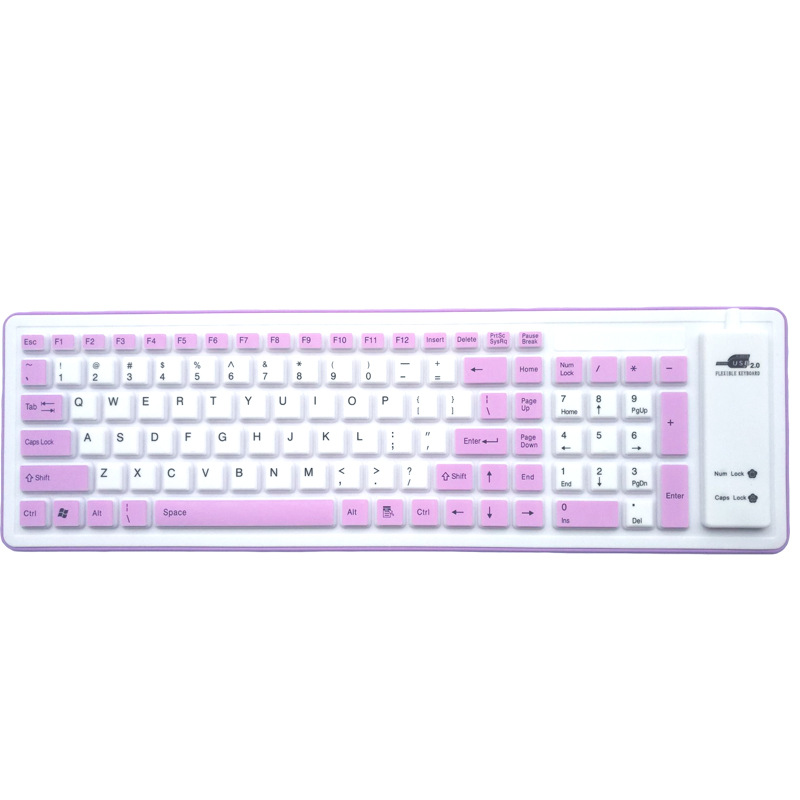
Membrane keyboards are more common and typically less expensive than mechanical keyboards. They use a pressure pad system that registers keystrokes when the keys are pressed down. While they may not offer the same tactile feedback as mechanical keyboards, they are often quieter and more compact.
Advantages of Membrane Keyboards
- Affordability: Membrane keyboards are generally more budget-friendly, making them accessible for a wider audience.
- Quiet Operation: These keyboards produce less noise, making them suitable for shared workspaces or quiet environments.
- Compact Design: Membrane keyboards are often slimmer and lighter, making them easier to transport.
Chiclet Keyboards
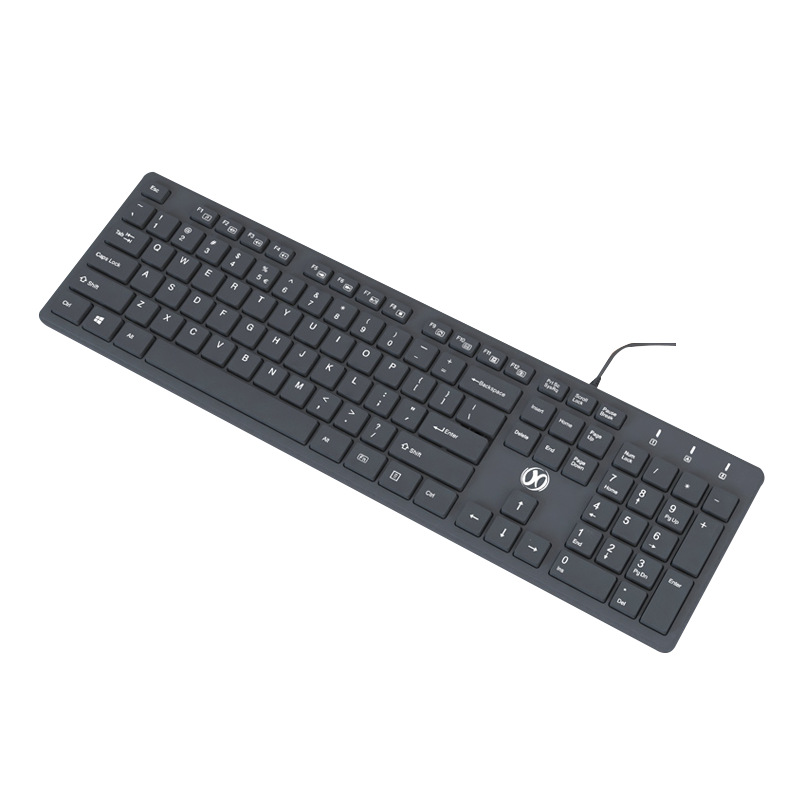
Chiclet keyboards feature flat, rectangular keys that are spaced apart, resembling the shape of chewing gum. This design is commonly found in laptops and some desktop keyboards. Chiclet keyboards provide a modern aesthetic and are often used in portable devices.
Advantages of Chiclet Keyboards
- Sleek Design: The flat keys give chiclet keyboards a contemporary look, appealing to users who prefer a minimalist style.
- Easy Cleaning: The space between keys makes it easier to clean, reducing the accumulation of dust and debris.
- Comfortable Typing: Many users find the flat keys comfortable for typing, especially for extended periods.
Key Features to Consider
Key Switch Types
When choosing a keyboard, it’s essential to consider the type of key switches used. Mechanical keyboards typically offer various switch types, each with its own characteristics:
- Cherry MX: Known for their reliability and variety, Cherry MX switches come in different colors, each representing a unique feel and sound.
- Razer: Razer switches are designed for gaming, providing fast response times and customizable lighting options.
- Kailh: Kailh switches are often found in budget mechanical keyboards and offer a good balance between performance and cost.
Backlighting Options
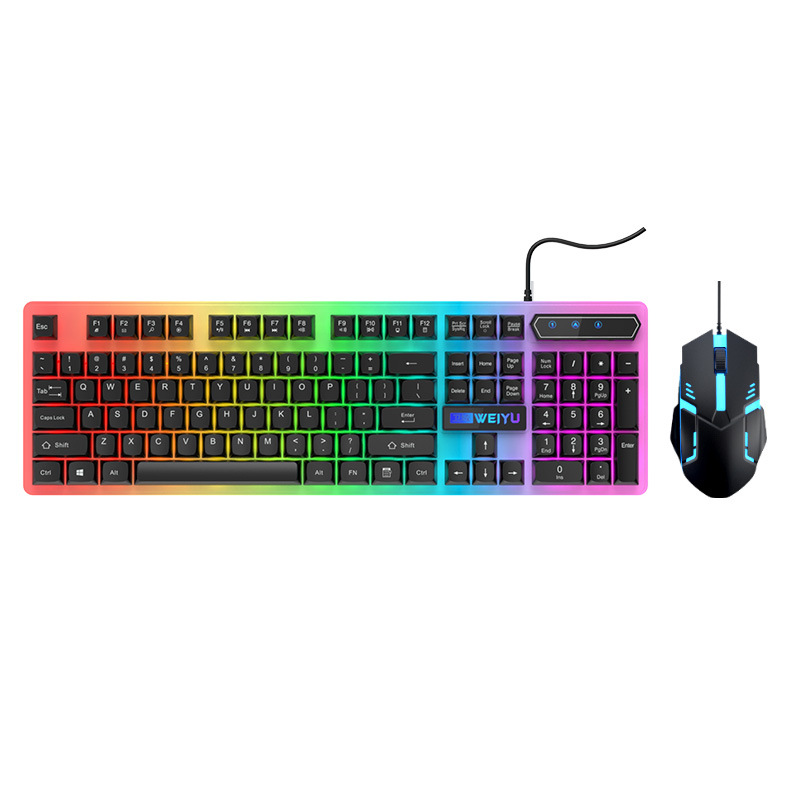
Backlighting can enhance the aesthetics of a keyboard and improve visibility in low-light conditions. Keyboards may feature:
- Single Color Backlighting: A single color illuminates the keys, providing a simple yet effective lighting solution.
- RGB Backlighting: RGB keyboards allow users to customize the color of each key, creating a vibrant and personalized setup.
Ergonomics
Ergonomics is a crucial factor in keyboard design, especially for users who spend long hours typing. Keyboards with ergonomic features may include:
- Wrist Rests: Built-in or detachable wrist rests can provide support and reduce strain on the wrists.
- Split Design: Split keyboards allow users to position the two halves at a comfortable angle, promoting a more natural hand position.
- Adjustable Height: Keyboards with adjustable height settings can accommodate different typing preferences and reduce discomfort.
Choosing the Right Keyboard for Your Needs
For Gamers
Gamers often require keyboards that offer fast response times, customizable features, and durability. Mechanical keyboards with RGB backlighting and programmable keys are popular choices among gamers. Additionally, features like anti-ghosting and N-key rollover can enhance gaming performance.
For Writers
Writers may prioritize comfort and typing experience over flashy features. Mechanical keyboards with tactile switches can provide a satisfying typing experience, while ergonomic designs can help prevent strain during long writing sessions. Keyboards with quiet operation may also be preferred for a distraction-free environment.
For Professionals
Professionals who use keyboards for extended periods should consider ergonomic options that promote comfort and reduce fatigue. Keyboards with adjustable height, wrist rests, and quiet operation can enhance productivity in office settings. Additionally, wireless options may provide flexibility and reduce cable clutter.
Maintenance and Care
Cleaning Your Keyboard
Regular maintenance is essential for keeping your keyboard in optimal condition. Here are some tips for cleaning:
- Dusting: Use compressed air to blow out dust and debris from between the keys.
- Wiping: Use a damp cloth to wipe down the surface of the keyboard, avoiding excess moisture.
- Keycap Removal: For deeper cleaning, consider removing keycaps (if applicable) and cleaning underneath.
Troubleshooting Common Issues
If you encounter issues with your keyboard, consider the following troubleshooting steps:
- Unresponsive Keys: Check for debris under the keys and clean as necessary. If the issue persists, try reconnecting the keyboard or testing it on another device.
- Connectivity Issues: For wireless keyboards, ensure that the batteries are charged and that the receiver is properly connected.
- Software Conflicts: If using a programmable keyboard, ensure that the software is up to date and that there are no conflicts with other applications.
Conclusion
Choosing the right keyboard is essential for enhancing your typing experience, whether for gaming, writing, or professional use. Understanding the different types of keyboards, their features, and how to maintain them can help you make an informed decision. With the right keyboard, you can improve your productivity and comfort, making your time spent at the computer more enjoyable.
As you search for the perfect keyboard to enhance your typing experience, explore the fantastic selection and unbeatable prices available at LooperBuy, where quality meets affordability. Discover your ideal keyboard here: https://looperbuy.com/.
Related Questions & Answers
· What are the main types of keyboards available? The main types include mechanical, membrane, and chiclet keyboards, each with its own characteristics and advantages.
· How do I choose the right keyboard for gaming? Look for mechanical keyboards with fast response times, customizable features, and ergonomic designs to enhance your gaming experience.
· What should I consider for ergonomic keyboards? Consider features like wrist rests, adjustable height, and split designs to promote comfort and reduce strain during long typing sessions.
· How can I maintain my keyboard? Regularly clean your keyboard by dusting, wiping down surfaces, and removing keycaps for deeper cleaning as needed.
· What are the benefits of backlighting on keyboards? Backlighting improves visibility in low-light conditions and can enhance the aesthetics of your keyboard setup.
Hot Tags: Mechanical Keyboards; Membrane Keyboards; Chiclet Keyboards; Ergonomic Design; Backlighting Options; Key Switch Types; Gaming Keyboards; Wireless Keyboards; Keyboard Maintenance