Data cables are an integral part of modern technology, facilitating the transfer of information between devices. As we delve into the world of data cables, we will explore their types, uses, and the critical role they play in our daily lives. This article aims to provide a comprehensive understanding of data cables, their significance, and the various factors to consider when choosing the right one for your needs.
Table of Contents
Understanding Data Cables
Data cables are designed to transmit data between devices. They come in various forms, each tailored for specific applications. The most common types include USB cables, Ethernet cables, HDMI cables, and more. Each type serves a unique purpose, from connecting computers to networks to linking audio-visual equipment. The evolution of technology has led to the development of specialized cables that cater to the increasing demands for speed, efficiency, and compatibility. As devices become more advanced, the need for reliable data transmission methods becomes even more critical.
The Importance of Data Cables
In an increasingly digital world, data cables are essential for seamless communication between devices. They enable the transfer of files, streaming of media, and connection to the internet. Without data cables, the functionality of many devices would be severely limited, impacting both personal and professional activities. For instance, in a business environment, data cables facilitate communication between computers and servers, ensuring that information is shared quickly and efficiently. In our personal lives, they allow us to connect our smartphones to computers for data transfer, charge our devices, and enjoy high-definition media on our televisions.
Types of Data Cables
Understanding the different types of data cables is crucial for selecting the right one for your needs. Here, we will discuss some of the most common types of data cables.
USB Cables
USB (Universal Serial Bus) cables are perhaps the most widely recognized data cables. They are used to connect a variety of devices, including computers, smartphones, and peripherals like printers and external hard drives. USB cables come in several types, including USB-A, USB-B, and USB-C, each with its specific applications and advantages. The introduction of USB-C has revolutionized the way we connect devices, offering faster data transfer rates and the convenience of a reversible connector. This versatility makes USB cables indispensable in both personal and professional settings.
Ethernet Cables
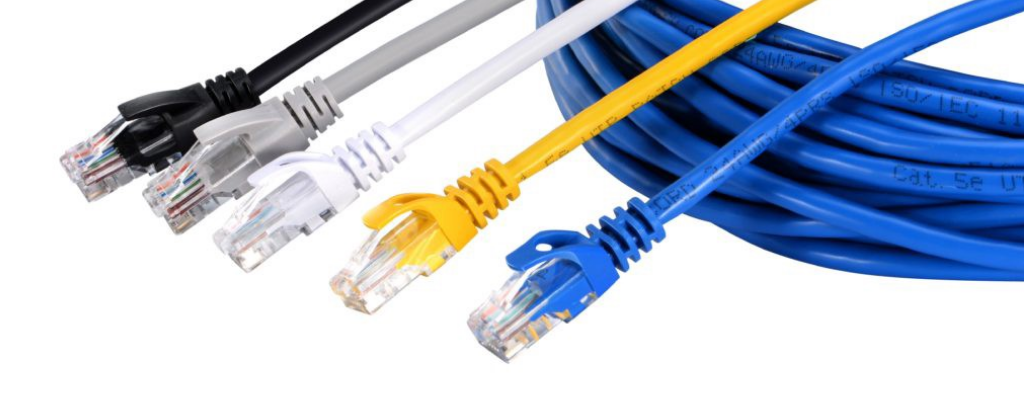
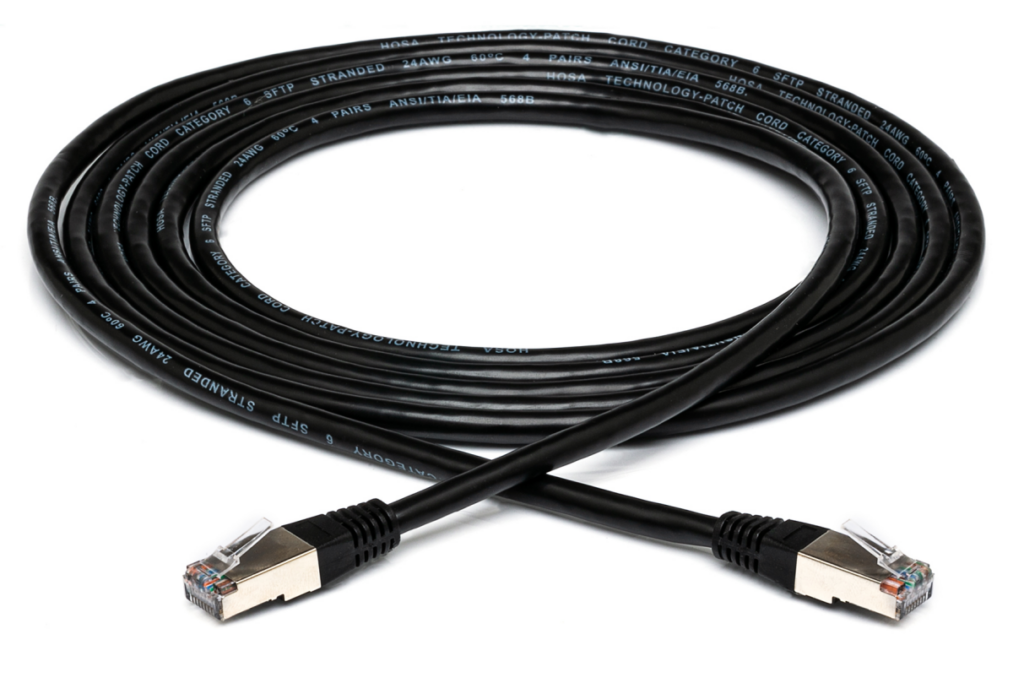
Ethernet cables are essential for networking. They connect devices to a local area network (LAN) and are crucial for internet connectivity in homes and offices. There are different categories of Ethernet cables, such as Cat5e, Cat6, and Cat7, each offering varying speeds and bandwidth capabilities. The choice of Ethernet cable can significantly impact internet performance, especially in environments where multiple devices are connected simultaneously. High-quality Ethernet cables ensure stable connections, reducing latency and improving overall network efficiency.
HDMI Cables
HDMI (High-Definition Multimedia Interface) cables are used to transmit high-definition video and audio from one device to another. They are commonly used to connect televisions, projectors, and gaming consoles. HDMI cables support various resolutions and formats, making them versatile for multimedia applications. With the rise of 4K and even 8K content, the demand for high-quality HDMI cables has increased, as they are capable of delivering superior audio-visual experiences. Additionally, HDMI cables often come with features like Ethernet support and audio return channels, further enhancing their functionality.
DisplayPort Cables
DisplayPort cables are similar to HDMI cables but are primarily used for connecting computers to monitors. They support high resolutions and refresh rates, making them ideal for gaming and professional graphic design. DisplayPort technology also allows for daisy-chaining multiple monitors, which is particularly beneficial for users who require extensive screen real estate for multitasking or creative work. The ability to transmit both video and audio signals through a single cable simplifies setups and reduces cable clutter.
Lightning Cables
Lightning cables are proprietary to Apple devices. They are used to charge and sync iPhones, iPads, and iPods. Lightning cables are known for their compact design and reversible connector, making them user-friendly. Apple has also integrated advanced technology into Lightning cables, allowing for faster charging and data transfer compared to traditional USB cables. As Apple continues to innovate, the Lightning connector remains a key component of its ecosystem, ensuring compatibility across a wide range of devices.
Choosing the Right Data Cable
When selecting a data cable, several factors should be considered to ensure compatibility and performance.
Compatibility
The first step in choosing a data cable is to ensure it is compatible with your devices. Check the specifications of your devices to determine the type of cable required. For instance, if you need to connect a smartphone to a laptop, you will need a USB cable that matches the ports on both devices. Compatibility extends beyond just the physical connectors; it also includes the data transfer standards supported by the devices. Ensuring that both devices can communicate effectively is crucial for optimal performance.
Length
Data cables come in various lengths. Consider the distance between your devices when selecting a cable. Longer cables may be necessary for setups where devices are far apart, but keep in mind that longer cables can sometimes lead to signal degradation. For example, using a long HDMI cable may result in a loss of video quality if the cable is not of high quality. It’s essential to balance the need for length with the potential impact on performance, especially in high-speed applications.
Speed and Performance
Different data cables offer varying speeds and performance levels. For example, Ethernet cables come in different categories, with higher categories supporting faster speeds. If you require high-speed data transfer, such as for gaming or streaming, opt for a cable that supports the necessary bandwidth. Additionally, consider the specifications of the devices you are connecting; using a high-speed cable with a device that has slower capabilities will not enhance performance. Understanding the requirements of your applications will guide you in selecting the most suitable cable.
Durability
Durability is another important factor. Look for cables that are well-constructed and designed to withstand wear and tear. Some cables come with reinforced connectors and braided exteriors for added strength. Investing in high-quality cables can save you money in the long run, as they are less likely to fray or break. Additionally, consider the environment in which the cables will be used; for instance, cables used in mobile setups may require more robust designs to handle frequent movement and bending.
Common Uses of Data Cables
Data cables are used in a variety of applications across different fields. Here are some common uses:
Home Networking
In home networking, Ethernet cables are used to connect routers, switches, and devices like computers and gaming consoles. This setup allows for stable internet connections and efficient data transfer. As smart home technology becomes more prevalent, the demand for reliable networking solutions increases. Data cables play a crucial role in ensuring that all devices within a smart home ecosystem can communicate effectively, providing seamless control and automation.
Charging Devices
USB cables are widely used for charging devices. They connect smartphones, tablets, and other gadgets to power sources, ensuring that devices remain charged and ready for use. The versatility of USB cables allows them to be used with various chargers, including wall adapters, car chargers, and power banks. As battery technology improves, the need for efficient charging solutions continues to grow, making USB cables an essential accessory for modern life.
Multimedia Connections
HDMI and DisplayPort cables are essential for connecting audio-visual equipment. They enable the transmission of high-quality video and audio, making them ideal for home theaters and presentations. The ability to connect multiple devices, such as Blu-ray players, gaming consoles, and streaming devices, enhances the entertainment experience. As content quality improves, the demand for high-performance cables that can handle 4K and 8K resolutions becomes increasingly important.
Data Transfer
Data cables are crucial for transferring files between devices. Whether it’s moving photos from a smartphone to a computer or backing up data to an external hard drive, data cables facilitate these processes efficiently. In professional settings, data transfer is often critical for maintaining productivity. High-speed data cables can significantly reduce the time required for large file transfers, allowing users to focus on their work rather than waiting for files to copy.
Future of Data Cables
As technology continues to evolve, so do data cables. The future may see advancements in cable technology, including faster data transfer rates and improved durability. Innovations such as wireless data transfer are also gaining traction, but data cables will likely remain a staple due to their reliability and performance. The development of new materials and technologies may lead to cables that are not only faster but also more environmentally friendly, addressing the growing concern over electronic waste.
Conclusion
Data cables are vital components of our technological landscape. They enable communication between devices, support various applications, and are essential for both personal and professional use. Understanding the different types of data cables and their uses can help you make informed decisions when selecting the right cable for your needs. As technology continues to advance, staying informed about the latest developments in data cable technology will ensure that you are equipped to meet the demands of an ever-evolving digital world.
How to purchase:https://looperbuy.com/search?keywords=data+cable
Frequently Asked Questions
1. What is the difference between USB-A and USB-C cables?
USB-A is the traditional rectangular connector, while USB-C is a newer, reversible connector that supports faster data transfer and charging. USB-C has become the standard for many modern devices due to its versatility and efficiency.
2. Can I use an HDMI cable for audio?
Yes, HDMI cables transmit both high-definition video and audio signals, making them suitable for connecting devices like TVs and sound systems. This capability simplifies setups by reducing the number of cables needed for audio-visual connections.
3. How do I know which Ethernet cable to use?
Choose an Ethernet cable based on your internet speed requirements. For example, Cat5e cables are suitable for speeds up to 1 Gbps, while Cat6 cables support speeds up to 10 Gbps. Assessing your internet plan and the number of devices connected will help you select the appropriate cable.
4. Are all data cables the same?
No, data cables vary in type, purpose, and specifications. It’s important to choose the right cable for your specific devices and needs. Understanding the differences between cable types can help you avoid compatibility issues and ensure optimal performance.
5. How can I maintain my data cables?
To maintain your data cables, avoid bending them excessively, keep them away from heat sources, and store them properly when not in use. Regularly inspecting cables for signs of wear can also help you identify potential issues before they become problematic.