In today’s digital age, the need for versatile audio connections has become increasingly important. Many devices, from laptops to smartphones, are moving away from traditional headphone jacks in favor of USB connections. This shift raises a common question: how can you convert an earphone plug to USB? This article will explore the various methods, benefits, and considerations involved in making this conversion, ensuring you can enjoy your favorite audio devices seamlessly. Understanding the nuances of audio technology and the available solutions will empower you to make informed decisions about your audio setup.
Table of Contents
Understanding the Basics of Earphone Plugs and USB Connections
What is an Earphone Plug?
An earphone plug, commonly known as a headphone jack, is a standard audio connector that allows you to connect headphones or earphones to various devices. The most common type is the 3.5mm jack, which has been a staple in audio technology for decades. This plug transmits analog audio signals, making it compatible with a wide range of devices, including smartphones, laptops, and portable music players. The 3.5mm jack has been favored for its simplicity and reliability, providing a straightforward way to enjoy audio without the need for complex setups. However, as technology evolves, the limitations of analog connections become more apparent, particularly in terms of audio quality and compatibility with modern devices.
What is a USB Connection?
USB, or Universal Serial Bus, is a standard for connecting devices to computers and other electronic devices. USB connections can transmit both data and power, making them versatile for various applications. In the context of audio, USB connections can support digital audio signals, which can provide higher quality sound compared to analog connections. USB technology has advanced significantly, with different versions offering varying data transfer speeds and capabilities. This versatility allows for a wide range of audio applications, from simple headphone connections to complex audio interfaces used in professional music production.
Why Convert an Earphone Plug to USB?
Compatibility with Modern Devices
As technology evolves, many modern devices are eliminating the traditional headphone jack. This trend is particularly evident in smartphones and laptops, which often feature only USB ports. Converting an earphone plug to USB allows you to use your favorite headphones with these newer devices, ensuring you don’t have to invest in new audio equipment. This compatibility is crucial for users who want to maintain their existing audio gear while adapting to the latest technology. The transition to USB connections also reflects a broader trend towards digital audio, which offers numerous advantages over analog systems.
Improved Audio Quality
USB connections can offer superior audio quality compared to traditional analog connections. Digital audio signals are less susceptible to interference and degradation, resulting in clearer sound. By converting your earphone plug to USB, you can take advantage of this enhanced audio experience. The clarity and fidelity of digital audio can significantly enhance your listening experience, whether you’re enjoying music, watching movies, or playing video games. Additionally, many USB audio devices support high-resolution audio formats, allowing you to experience sound as the artist intended.
Convenience and Portability
Using a USB connection can simplify your audio setup. Many USB audio adapters are compact and easy to carry, making them ideal for travel. Instead of juggling multiple cables and adapters, a single USB connection can streamline your audio experience. This convenience is particularly beneficial for users who are frequently on the go, as it reduces the clutter of cables and makes it easier to connect to various devices. Furthermore, USB connections often provide a more secure and stable connection, minimizing the risk of disconnections during use.
How to Convert an Earphone Plug to USB
Using an Adapter
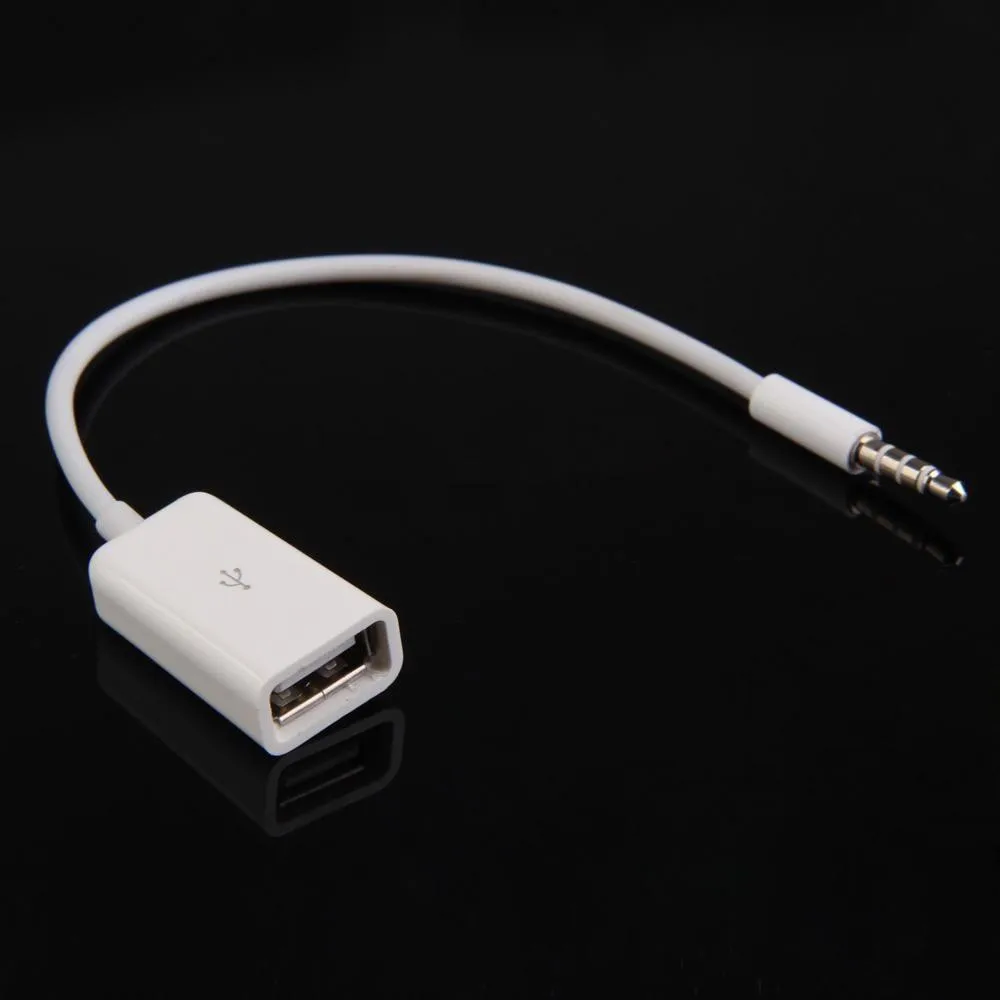
One of the simplest ways to convert an earphone plug to USB is by using an adapter. These adapters typically feature a 3.5mm female jack on one end and a USB male connector on the other. To use an adapter, simply plug your earphones into the female jack and connect the USB end to your device. This method is straightforward and requires no additional software or configuration. Many adapters are designed to be plug-and-play, making them accessible for users of all technical skill levels. However, it’s essential to choose a high-quality adapter to ensure optimal performance and audio quality.
USB Audio Interfaces
For those seeking higher audio fidelity, a USB audio interface may be the best option. These devices connect to your computer via USB and provide various input and output options, including 3.5mm jacks for headphones. USB audio interfaces often come with built-in digital-to-analog converters (DACs), which can significantly enhance audio quality. This option is particularly popular among musicians and audio professionals who require precise sound reproduction. USB audio interfaces can also offer additional features such as microphone inputs, MIDI connectivity, and advanced audio processing capabilities, making them a versatile choice for both casual listeners and serious audio enthusiasts.
Software Solutions
In some cases, software solutions can facilitate the conversion of audio signals. Certain applications can route audio from a 3.5mm jack to a USB output, allowing you to use your earphones with devices that lack a headphone jack. However, this method may require additional setup and may not provide the same audio quality as hardware solutions. Software solutions can be particularly useful for users who want to integrate their audio setup with digital audio workstations (DAWs) or other audio production software. While these solutions can be effective, they often require a deeper understanding of audio routing and may not be suitable for all users.
Choosing the Right Adapter
Compatibility
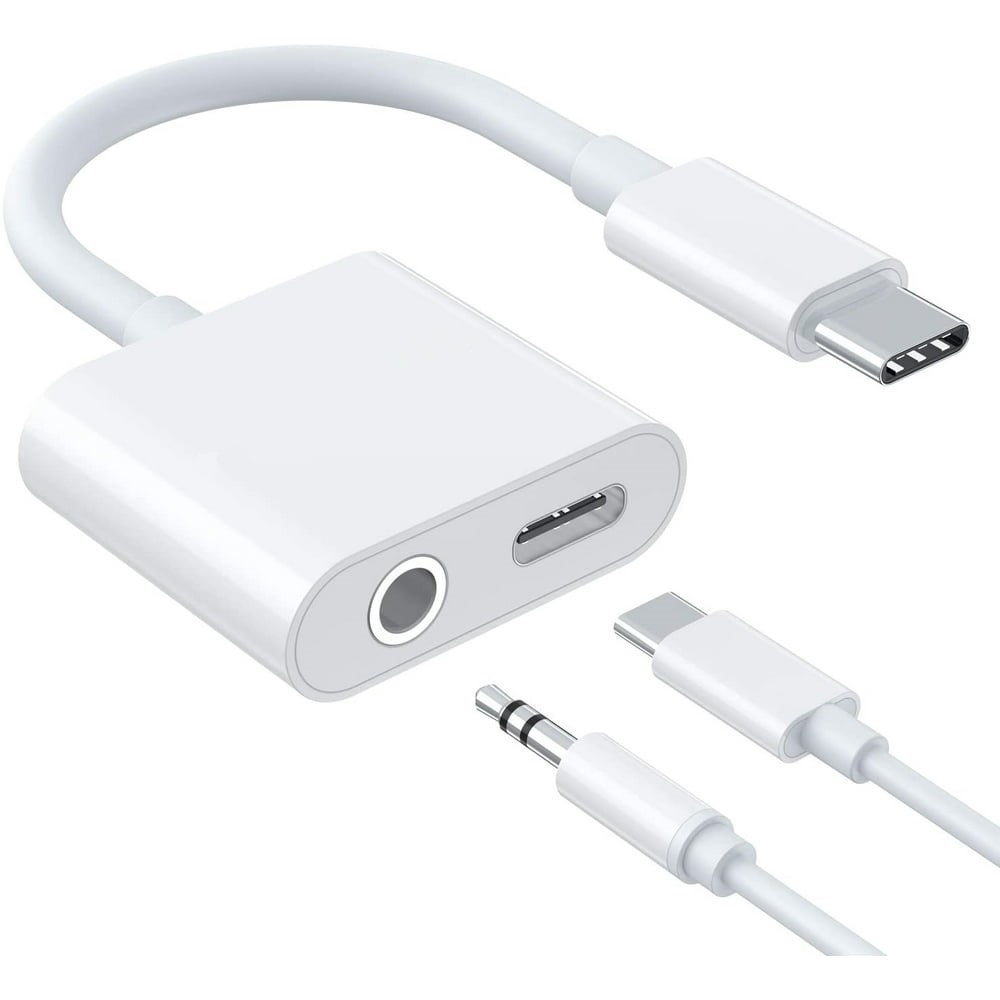
When selecting an adapter, ensure it is compatible with your devices. Some adapters are designed specifically for certain operating systems or devices, so check the specifications before purchasing. Compatibility is crucial to ensure that the adapter functions correctly and delivers the expected audio quality. Additionally, some adapters may offer features such as volume control or built-in microphones, which can enhance your overall audio experience.
Audio Quality
Not all adapters are created equal. Some may compromise audio quality for convenience. Look for adapters that support high-resolution audio formats to ensure you get the best sound possible. High-quality adapters often feature better components and construction, which can significantly impact the overall audio experience. Reading reviews and seeking recommendations can help you identify the best options available on the market.
Build Quality
Durability is essential, especially if you plan to use the adapter frequently. Choose adapters made from high-quality materials that can withstand regular use. A well-constructed adapter will not only last longer but also provide a more reliable connection, reducing the likelihood of audio dropouts or connection issues. Investing in a quality adapter can save you money in the long run by avoiding the need for frequent replacements.
Common Issues and Troubleshooting
No Sound Output
If you experience no sound after connecting your earphones via an adapter, check the following:
– Ensure the adapter is securely connected to both the earphones and the USB port.
– Verify that the audio output settings on your device are configured correctly.
– Test the earphones with another device to rule out any issues with the headphones themselves.
These troubleshooting steps can help you quickly identify and resolve common issues, allowing you to enjoy your audio without frustration. If problems persist, consulting the user manual or seeking support from the manufacturer may provide additional solutions.
Poor Audio Quality
If the audio quality is subpar, consider the following:
– Use a high-quality adapter that supports high-resolution audio.
– Check for any software settings that may affect audio output.
– Ensure that the USB port is functioning correctly by testing it with other devices.
Addressing audio quality issues can significantly enhance your listening experience. If you find that the audio quality remains unsatisfactory, it may be worth exploring alternative adapters or audio interfaces that offer better performance.
Compatibility Issues
If your adapter is not recognized by your device, ensure it is compatible with your operating system. Some adapters may require specific drivers or software to function correctly. Checking the manufacturer’s website for updates or additional information can often resolve compatibility issues. Additionally, trying the adapter on a different device can help determine whether the problem lies with the adapter or the original device.
Conclusion
Converting an earphone plug to USB is a practical solution for adapting to modern audio technology. Whether through simple adapters, USB audio interfaces, or software solutions, you can enjoy your favorite headphones with a variety of devices. By understanding the options available and considering factors like compatibility and audio quality, you can make an informed decision that enhances your audio experience. Embracing this transition not only allows you to continue using your preferred audio equipment but also opens the door to new possibilities in sound quality and convenience.
How to purchase:https://looperbuy.com/search?keywords=earphone+plug+to+usb
Related Questions and Answers
1. Can I use any earphones with a USB adapter?
Yes, most earphones with a standard 3.5mm plug can be used with a USB adapter, provided the adapter is compatible.
2. Will using an adapter affect audio quality?
Using a high-quality adapter should not significantly affect audio quality. However, lower-quality adapters may introduce noise or reduce sound fidelity.
3. Are USB audio interfaces worth the investment?
If you prioritize audio quality and require professional-grade sound, a USB audio interface is a worthwhile investment.
4. Can I use a USB adapter with my smartphone?
Yes, many smartphones support USB audio adapters, but ensure compatibility with your specific device model.
5. What should I do if my USB adapter is not recognized?
Check the connection, ensure compatibility with your device, and try using a different USB port. If issues persist, consult the manufacturer’s support resources.